

Highlights
- The Lockdown Event only appears on the Dire Marsh map and is one of the best ways to get the best loot.
- The event starts around 14 – 15 minutes, so players have limited time to complete it.
- The loot quality improves with each crate, with the third crate giving the best rewards and rare upgrade materials.
The Lockdown Event is one of the most rewarding activities in Marathon. It appears only on the Dire Marsh map and gives players a chance to earn some of the best loot available in a match. During the event, special ships appear over different locations on the map, and players must fight enemy waves and unlock containers to collect valuable rewards. In this guide, we will tell you how the Lockdown Event works and what you need to do to complete it.
Lockdown Event
The Lockdown event is a special activity that only appears on the Marathon map Dire Marsh. It gives the best loot in the game, but it appears late in a match. The Lockdown event begins around the 14 – 15 minute in the match.
When it starts, you will see three large UESC ships appear over three different Points of Interest on the map. Each ship marks a Lockdown zone where you can start the event. Your goal is to complete the Lockdown sequence at three locations to get the best rewards.
How the Lockdown Event Works
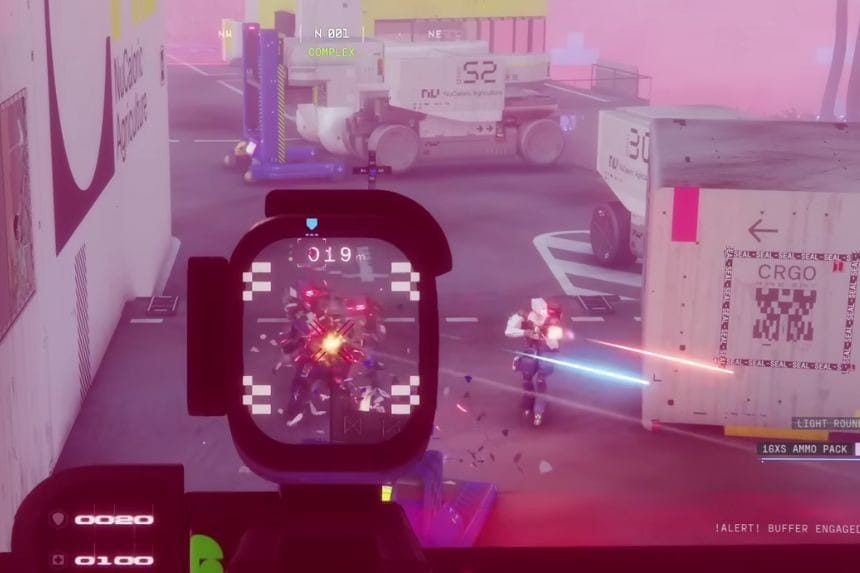
To complete the event, you need to do the following steps at each POI:
- Go to the active Lockdown location.
- Use an Antivirus consumable to safely enter the area.
- Find the Lockdown container marked by a blue beam of light.
- Pick up the Lockdown Drive on the ground.
- Insert the drive into the container to start the event.
- Defeat three waves of enemies.
- Open the crate and collect the loot.
After finishing one location, take the yellow Lockdown Drive from the crate. You will need this drive to unlock the next container at the next POI. You repeat this process three times to complete the full event.
If you want to complete the Lockdown event, defeat other teams early in the match. Having the right team will help you a lot.
Triage Class
A Triage player is very helpful because they can deploy Medic Drones. If the Triage player activates an Antivirus pack, the drone can share the effect with teammates, allowing everyone to enter the Lockdown zone safely.
Thief Class
A Thief can also be useful because their drone can scout other POIs early in the match and help locate enemy teams.
Lockdown Container Location
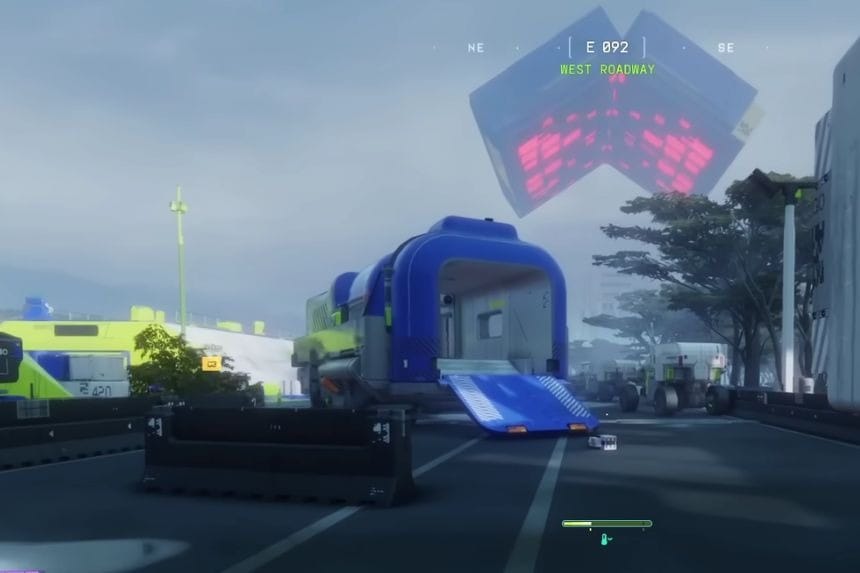
Once you reach the Lockdown zone, look for the container with a blue beam of light shooting upward. This beam goes straight toward the ship above, making it easier to locate the container. Before activating it, you must find the Lockdown Drive on the ground nearby. Without it, you cannot start the event.
When you activate the container, three waves of enemies will spawn.
- The first waves include regular enemies.
- The final wave usually includes a tough shielded bot with a purple shield.
This enemy can take more damage, so using explosives will help in defeating them faster. Each Lockdown crate gives better loot than the previous one.
- First crate: good loot
- Second crate: better items, including blue gear
- Third crate: high-value loot with purple upgrade materials
After finishing a Lockdown location, the next one will appear after some time. Once you complete the third Lockdown. Go straight to the closest extraction point and activate it quickly. Defeat the guarding enemies and extract before the timer runs out
FAQs
- How many Lockdown locations appear during the event?
- There are three Lockdown locations, each marked by a large UESC ship flying above a Point of Interest.
- What is the Lockdown Drive used for?
- The Lockdown Drive is used to activate Lockdown containers. After finishing one location, you need to carry the drive to the next container to continue the event.
- What enemies appear during the Lockdown Event?
- Each container starts with three waves of enemies, and the final wave includes a strong shield bot with a purple shield.
