
Close Menu
    What's Hot

    How to Use SteamCMD to Create Your Own Multiplayer Server in StarRupture

    January 10, 2026

    All Collectable Locations (Outfits, Cameos, Ducks, Eggs, and More) – Code Violet

    January 10, 2026

    Precious Pals: Pokémon Go Event Focusing on Buddy Pokémon

    January 9, 2026
    Facebook X (Twitter) Instagram
    • Join Us
    Facebook X (Twitter) Instagram
    Patch Crazy
    • Guides
    • Patch Notes
    • Server Status
    • Featured
    • Privacy Policy
    • Contact Us
    Patch Crazy
    Home»Guides»How to Repair the Hospital Elevator in FNAF Secret of the Mimic
    How to Repair the Hospital Elevator in FNAF Secret of the Mimic
    Guides

    How to Repair the Hospital Elevator in FNAF Secret of the Mimic

    NanditaBy NanditaJuly 2, 2025No Comments2 Mins Read
    Share
    Facebook Twitter LinkedIn Pinterest Email

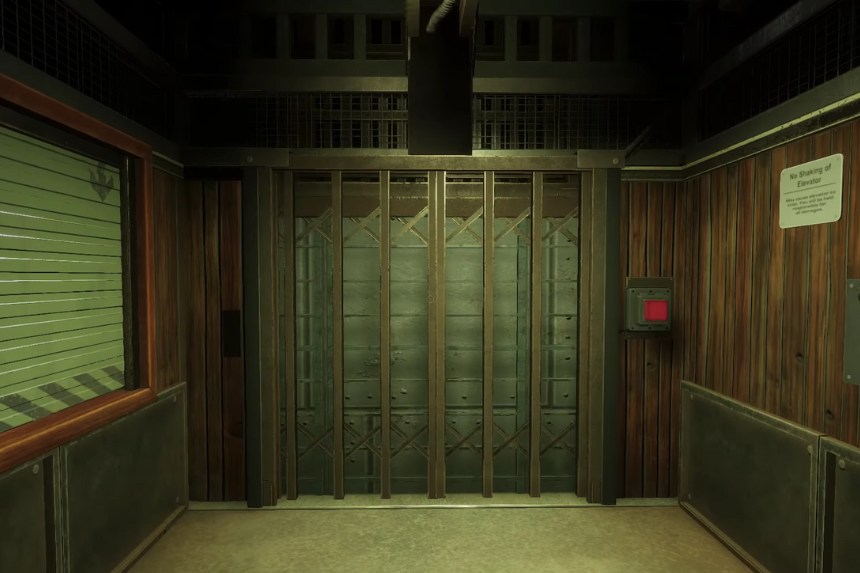
    In FNAF: Secret of the Mimic, you will come across a broken hospital elevator that you need to fix to move forward. In this guide, we will explain you each step, so you can repair the elevator and keep going in the game without getting stuck.

    How to Repair the Hospital Elevator 

    To repair the elevator, you need to pull the emergency lever and turn off the elevator completely. Once it is switched off, you will need to rebalance it. Look for the rebalancing panel and slide the buttons until they line up with the blue area. Then, turn the hand lever clockwise; this will lift the elevator door. Once it is open, hit the green button to unlock the hatch.

    Now, you will see four numbered mechanisms (1 to 4), each with a wire leading to a red button. To enter the correct code, press the red buttons in this order: 2, 4, 3, 1.

    Make sure you press them in exactly that order; if you press the wrong button, the system won’t accept the input, and you will need to start again. Once done, press the red button again to close the hatch, and turn the lever anticlockwise to lower the elevator gate.

    Now you can switch the elevator back on and release the emergency brake. If everything is done right, it should start moving on its own. But sometimes a warning pops up saying the elevator’s overloaded. That usually means it’s misaligned. In that case, realign it properly first. Then, adjust the speed to fit the load; it’s easy: just turn the handle from the tortoise icon (slow) toward the rabbit icon (fast), depending on how heavy the load is. Once that is done, turn it back on again and release the emergency brake to get it moving smoothly. 

    Share. Facebook Twitter Pinterest LinkedIn Tumblr Email
    Nandita
    • X (Twitter)
    • LinkedIn

    Damsel in her own distress, abodes in her imaginary world, and enchanted by the magical realms of Elden Ring. A professional overthinker who loves to weave captivating stories, and is fascinated by the art of doing nothing. When not lost in thought, paints canvases that echo her wildest daydreams!

    Related Posts

    How to Use SteamCMD to Create Your Own Multiplayer Server in StarRupture

    January 10, 2026

    All Collectable Locations (Outfits, Cameos, Ducks, Eggs, and More) – Code Violet

    January 10, 2026

    Nioh 2 All Guardian Spirits Locations 

    January 8, 2026

    How To Get Ceruledge & Armarouge in Pokémon Legends Z-A Mega Dimension DLC

    January 7, 2026
    Add A Comment
    Leave A Reply Cancel Reply

    Reviews
    7.0

    Review: Dunecrawl, Is It Worth It

    January 7, 2026
    Top Posts

    15 Best Soulslike Games of All Time

    December 13, 2025

    10 Best Racing Games for PS5

    December 12, 2025

    25 Best Horror Games to Play in 2026

    December 11, 2025

    Type above and press Enter to search. Press Esc to cancel.