
Avatars in Seven Deadly Sins Origin let you customise the small companion that appears with your character, then use the Book of Stars. You can unlock different avatar skins, equip them, and even add unique expressions to make them look different. The avatars are only cosmetic changes and don’t help in your battle or journey. In this guide, we will show you how to change & use a new avatar in Seven Deadly Sins Origin.
How To Change & Use A New Avatar
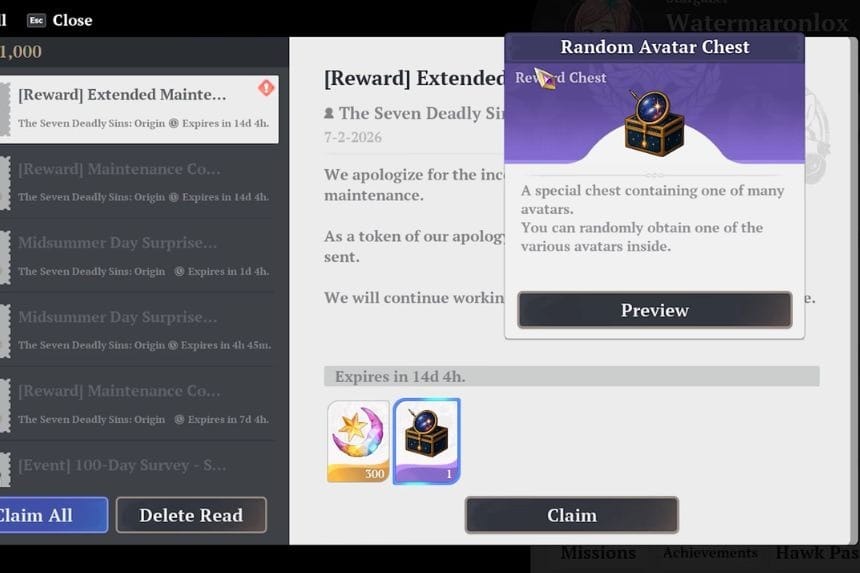
To change and use a new avatar or character skin in Seven Deadly Sins Origin, you need to have the random avatar chest. With the help of the random avatar chest, you can select to find any of the avatars for your character. The random avatar chest can be found by completing quests, in-game message gifts or event exchange shops.
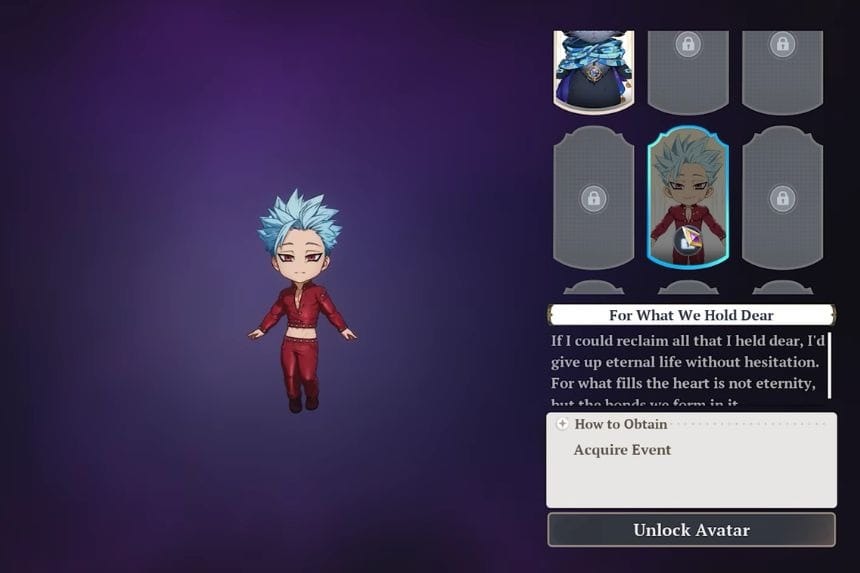
To change the avatar, click on the menu and select “Book of Stars”. Then go to the avatar section on the right side. Here, you can find what avatars are present at that moment and then unlock the avatar. You can add expressions to your avatar, and after that you will be able to use it in the game. The avatar will float near the current character that you are playing.
The new avatar will not do anything but will change the appearance of the cube that is floating on your shoulder. Your new avatar will appear when you use the Book of Stars ability. The Book of Stars has 3 abilities, which can be used by pressing the default keybind.
Using the “Book of Stars” ability consumes charges. You can restore these charges by interacting with a Constellation Stone. Doing this will also switch the ability to match the type of the Constellation Stone you used.
How to Find Random Avatar Chests
There are many ways by which players can get the avatar reward chests. These chests are usually rewarded through limited-time events, such as the Magic Pop Day of Mischief event, when players participate in them. The developers sometimes issue these chests as compensation if the game undergoes extended or urgent maintenance. Once received, you can always find the chest in your in-game mailbox. To claim the reward, you just need to open your inventory, click on the chest, and claim your random avatar.
