The insured weapons and the operator rescue beacon in Modern Warfare 4 DMZ allow you to protect your weapons and operators. Custom weapons are costly, and rescuing operators requires lots of money; therefore, by getting insurance, you will avoid losing what you have achieved and spending more money. Nonetheless, before using this facility, you must unlock it. In this guide, we’ll explain how to unlock weapon insurance and Operator Rescue Beacons and how to use them in MW4 DMZ.
Insured Weapons and Operator Rescue Beacons Explained
In the MW4 DMZ, it is done in a different way. You can craft weapons and then use them in matches, but the crafted weapons cost money. In case you are killed while carrying your custom weapon, you will not get the weapon back if you have not insured it. However, in order to craft custom weapons, first of all, you will need to unlock the Gunsmith at the Forward Operating Base (FOB).
This can be done only after you achieve DMZ Level 10 through earning XP in the game. After achieving DMZ Level 10, the Gunsmith will appear in the center of your FOB. After unlocking it, you can start building custom weapons for your next deployment. Each weapon has a base cost, and every attachment adds to the total price. To save your weapons and operator in the event of your death, you need two unique items.
These items are called the Weapon Insurance Contract and Operator Rescue Beacons, and they are obtained through completion of DMZ orders, which are missions involving the achievement of several objectives in the DMZ. Visit the DMZ Orders section at the FOB to check which missions reward you with insurance contracts or rescue beacons. Complete the required orders to unlock these items, which you can then use before deploying into a match.
How to Activate Weapon Insurance in MW4 DMZ
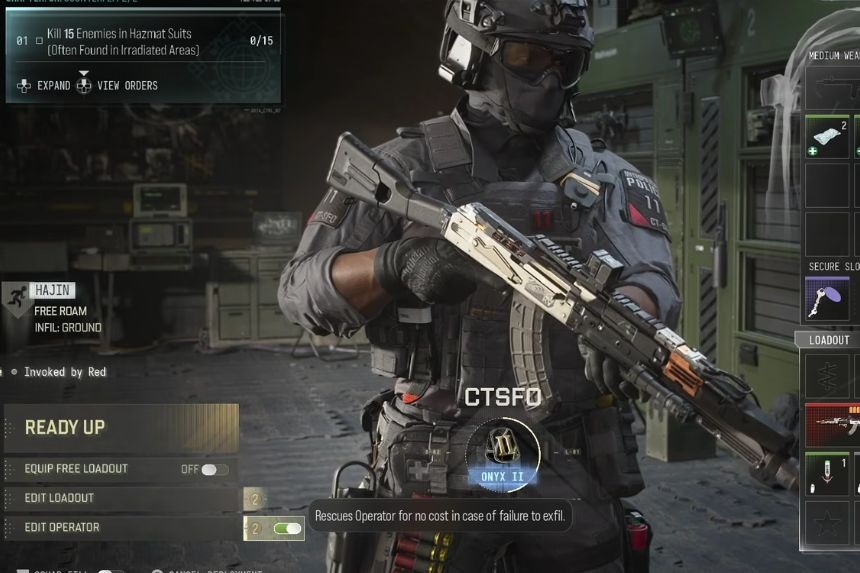
Now that you have your Weapon Insurance Contract, you can set up the contract just before going into a match. Enter the deployment menu, go to the helicopter, and press the deploy button. On the screen that allows you to enter your match, there should be an insurance option located right next to the Edit Loadout and Operator buttons.
Turn the weapon insurance on before deploying to start your match. Bear in mind that once you deploy your weapons, your contract is used up. You will therefore need to obtain another weapon insurance contract to use this feature in the future.
The weapon insurance covers both the primary and secondary weapons that you are currently carrying at the time of death. This means that you have to be carrying the weapon at the time of your death to ensure that it does not get lost. You will lose the weapon if it was insured but dropped prior to your death or exfil. They will remain safe as long as you extract successfully.
How to Use Operator Rescue Beacons in MW4 DMZ
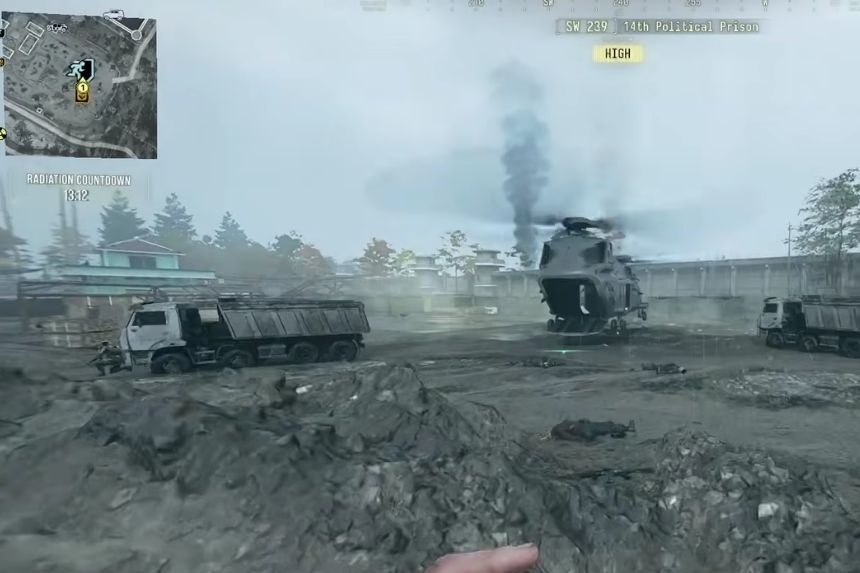
Operator Rescue Beacons function in the same way that weapons insurance does, but rather than protecting your weapons, the beacon protects your operator. In case of death when the beacon is in place, the cost of rescuing the operator is waived. The only thing you lose with the beacon in use is your equipment, which includes your vest and backpack. But your operator’s abilities and dog tags stay, meaning that you keep the progress made with the particular operator without having to pay for his rescue. This is especially useful if you have a valuable operator with a high-tier dog tag.
