
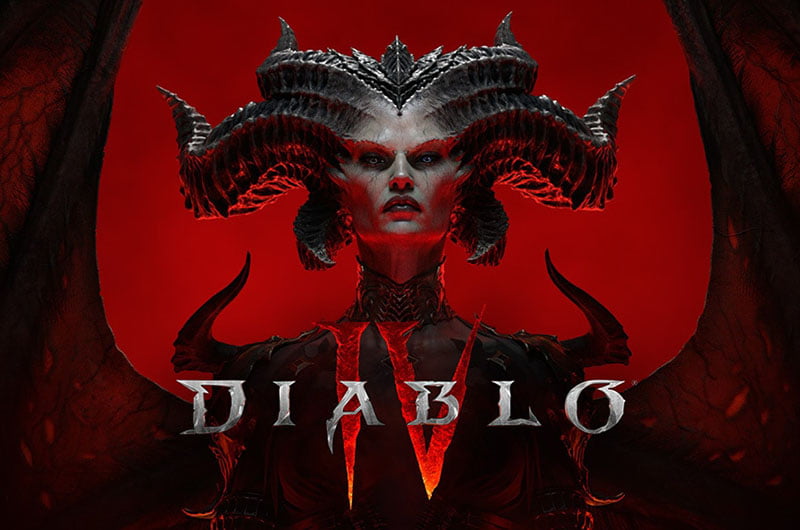
Diablo 4’s latest season—Vessel of Hatred—is well underway, offering players even more of the core gameplay and a new evil to slaughter, further extending the game’s story, new abilities to master, and introducing new dungeons for players to explore. Diablo 4 can be enjoyed solo or as a party of friends, but all players in a region or a server share the same world, which makes the game always online.
Being that Diablo IV is played online, that would sometimes mean running servers down for maintenance or a glitch with the servers. This is to say that one cannot play the game at certain times. It, therefore, becomes essential to know if the servers are up or down before trying to play the game. Below, find the summary of Diablo IV’s current server status and issues.
Vote your Issue with Diablo 4
A large number of reports usually means that the servers are down. The vote is reset every few hours based on new user reports to reflect the current server status. The Baseline Reports are 3. Reports exceeding the baseline by a huge margin indicate an issue with the servers or a major issue with the game.
Current Server Status
Diablo 4 servers are currently online, but the number of disconnections, login issues, and general server problems with the game has increased exponentially since the launch of the latest DLC, Vessel of Hatred.
How to Check Diablo 4 Server Status
Unlike several online games, the Diablo 4 servers officially do not go down for patches or maintenance, but that does not mean they do not experience issues. Due to various technical issues, the servers can often be down, or a glitch on the server end can cause connectivity problems. Knowing the problem with the servers can save you a lot of time.
However, few sources can check the servers’ status, and the official X handles rarely report or acknowledge these outages. Sometimes, an issue with the Battle.Net client may be to blame.
We created the above poll for that purpose. If there are more reports on the poll than the baseline report, it usually means that the servers are down. Additionally, you can check the below sources to find the game’s current server status:
- Battle.Net Support Page — You can go to the Battle.Net support page and check the notice or Breaking News at the top to see if any issues have been acknowledged.
- Diablo 4 X Handle— You can also visit the franchise’s X handle, and if there are any major issues, they will be reported there.
- Check Diablo 4 Server Status on Reddit—Reddit is the most reliable option, as official sources rarely report issues with the game.
Devs Response
When there is an official response on the current issue, it will be posted here.
Error Codes Related to Servers
When there is an issue with the game’s servers, you can run into various errors. If you get any of the below errors, it could mean that the problem is with the game’s servers.
- Diablo 4 error code 300202 or 300008: If you see these error codes when trying to load into Diablo 4, don’t worry. It means the servers are overloaded. Just keep clicking “Start Game” until you can play.
- Queued for Game Start Game Pending: If you are booted from Diablo 4 without warning and see the “Queued for Game – Start Game Pending” message, then that may be because some of those servers are having issues. This is sometimes due to Blizzard’s authentication system. There is another reason: a new game update may be waiting to be installed. If that is what’s happening, then the solution is that you can resolve the issue by closing Diablo 4, downloading the update, and restarting the game.
- Diablo 4 error code 34202: If you’re an Xbox player getting this error, your game might be outdated. Try closing it and checking for updates. If there aren’t any, it’s a problem on Blizzard’s side.
- Diablo 4 Error Code 395002: Your account has been temporarily locked if you get error code 395002 in Diablo 4. This usually happens if you try to log in too many times quickly or if the servers are overloaded. You’ll need to wait a few minutes for the servers to settle down before trying again.
- Unable to connect to battle.net. Please check your network settings. (Code 1016): If this occurs with error code 1016, it will just hang the game, and you will have to queue up again. That’s alright; sometimes this happens. Just keep trying to join the game, and you’ll get in eventually. Make sure that your Internet connection is very strong and stable. If this happens repeatedly, there may be an issue with your Wi-Fi adapter, internet antenna, or Internet service provider. You may try reaching a technical support specialist or troubleshooting your network before trying again to play Diablo IV.
Tips for Players
- Update the game: If there’s a new game update, you can fix the problem by closing the game, downloading the update, and then restarting it.
- Creating a new shortcut: If you’re having issues with the Diablo IV “Start” button through the Battle.net launcher, there is a way to start the game. Just create a new shortcut on the desktop, right-click, and select “Properties.” Under the “Target” field, insert the text into the field; it may require changing the pathway: “C:\\\\Program Files (x86)\\\\Diablo IV\\\\Diablo IV.exe” -launch. This will forcibly start the game without going through any problems with the launcher. Remember to change the path to where your Diablo IV is installed.
- Reinstalling the game: If you were trying to play Diablo 4 before the servers were online and are still facing error, try restarting the game. If that doesn’t work, you might need to reinstall Diablo 4.
- Relaunching the game: Sometimes, you might get stuck on the character creation screen. If this happens, try closing the game and starting it again. That should fix the problem.
