
Highlights
- After you have connected all of the machinery correctly and set up your production line, you no longer need to worry about anything as the Cryston Component line runs automatically.
- You will only need to plant your Sand Leaf Farm once throughout the process, because the crop continues to reproduce.
- If you are using the correct materials with the Gearing Unit, then it will produce a Cryston Component every 10 seconds. This gives you a constant source of Cryston Components throughout the game.
Cryston Components are used to manufacture Level 50 purple-quality equipment as a crafting material in the Gear Assembly, which will show you once you access it to assemble this class of gear that it requires both Alloy Stock Bills and Cryston Components. This guide will show you how to configure your entire Cryston Component production build, how to connect everything, and how to automate this massive build.
Depot Unloader Setup
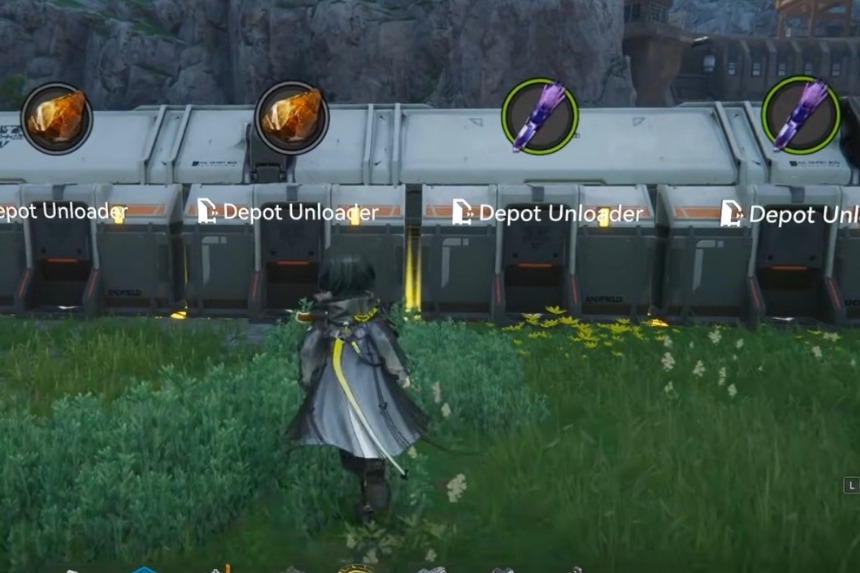
Start with the four Depot Unloaders: two will be set to produce Originium Ore, and the other two will produce Amethyst Fiber (which is the refined version of Amethyst Ore). Make sure there is enough area in front of all of the Unloader locations for installing conveyor belts without hindrance.
Shredding Units and Power
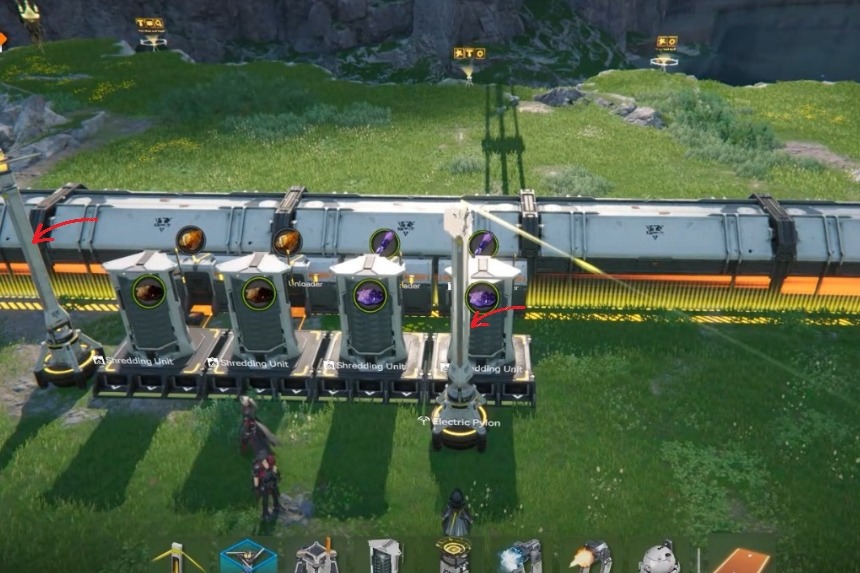
Once a Shredding Unit is in position, connect it with an appropriate unloader for your depot via a conveyor belt to the very shredding unit that feeds into it. One electric pylon should be installed to the left and one to the right of the Shredding Unit. Leave at least a one block gap open on the right side of your Shredding Unit for correct alignment.
Grinding Units Placement
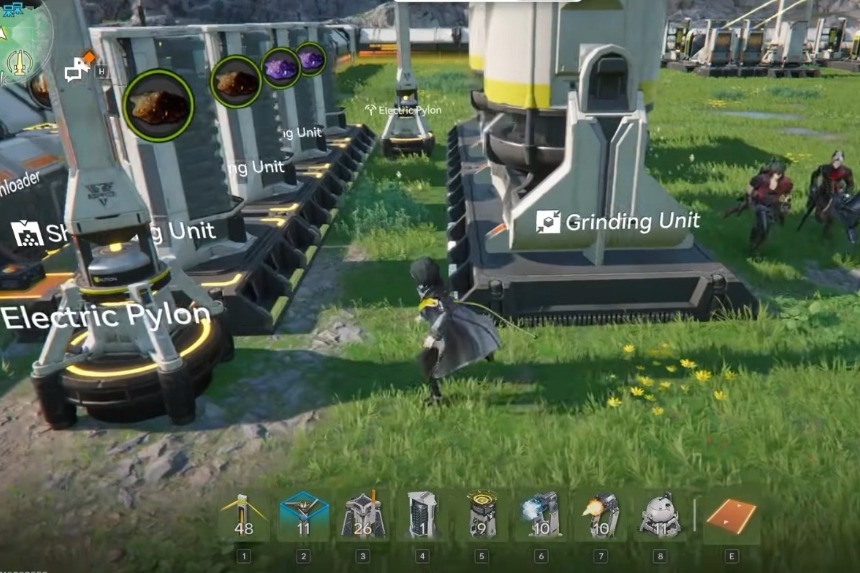
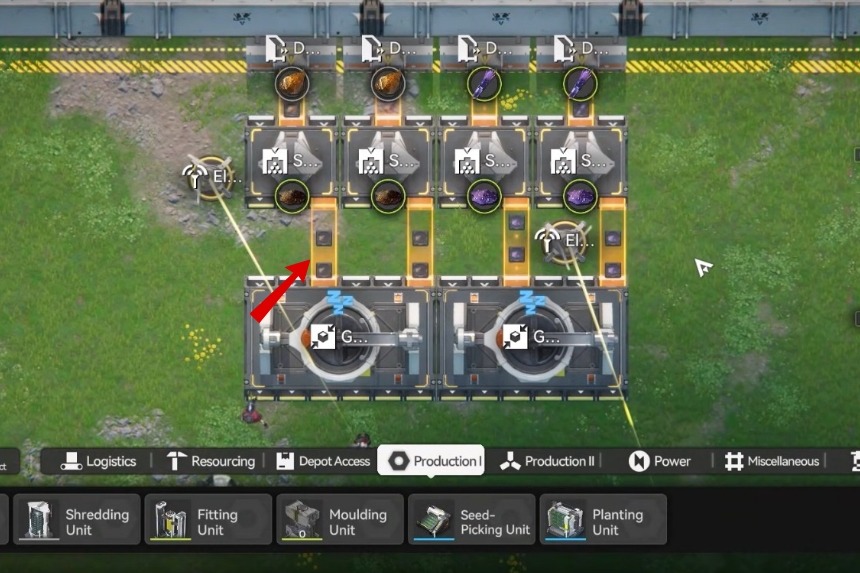
Following this step, additional Grinding Units, spaced two blocks from the Shredding Units, will need to be added, ensuring that they are both evenly aligned with each other. Also, install conveyor belts from each of the Shredding Unit to each Grinding Unit, connecting to the right side input ports, and ensuring the inputs are properly aligned for smooth flow.
Setting Up the Sand Leaf Powder Farm
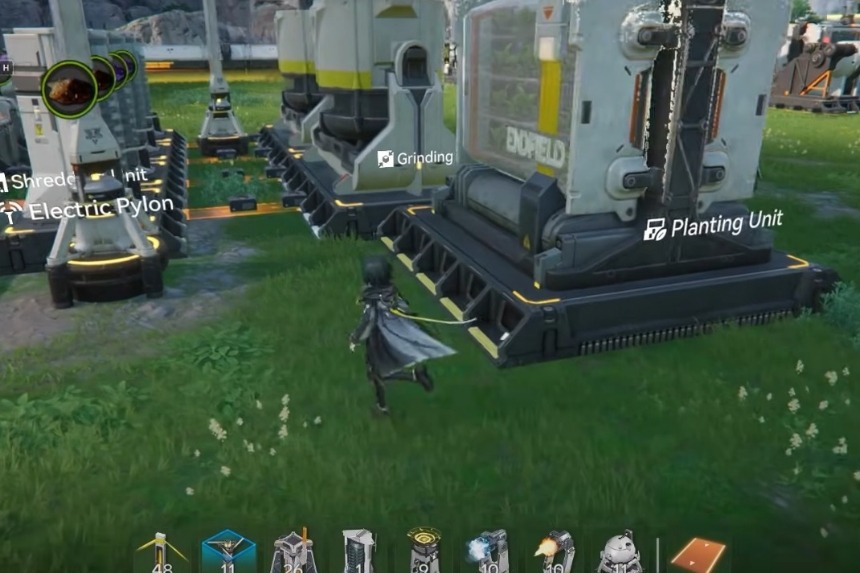
To create Cryston Components, you will have to create a very basic farming module that grows Sand Leaf Powder.
Set your Planting Unit one block to the left of your Grinding Unit. The arrows on the Planting Unit must be pointing towards the source of energy for the Planting Unit because that will be the point where the Sand Leaf Powder comes from.
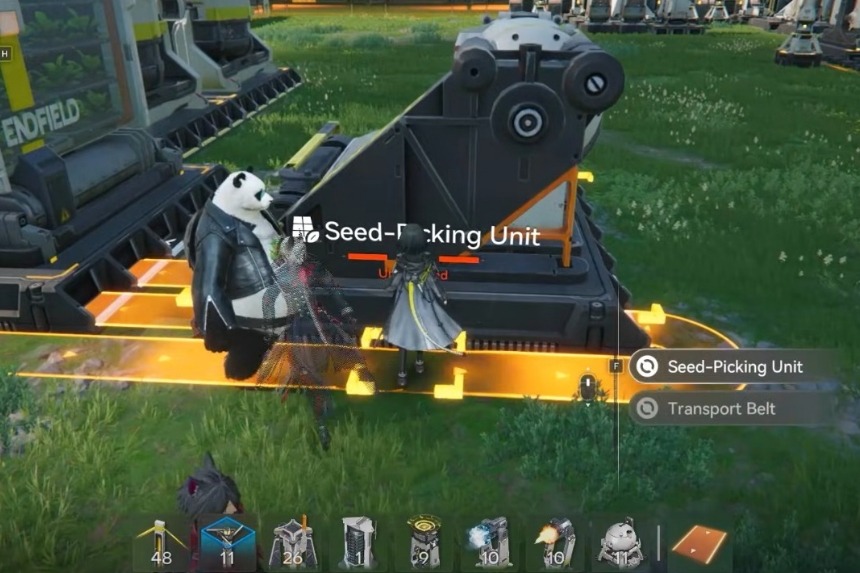
Afterward, the Seed Picking Unit must be positioned left to right with a one-block gap between itself and the Planting Unit, followed by connecting both of these units using two conveyor lines and creating a conveyor belt from the Planting Unit into the Seed Picking Unit.
To initiate the procedure, place the Sand Leaves in the Seed Picking Unit. Any remaining seeds may also be planted in the Planting Unit. A single Sand Leaf will eventually reproduce and continue to multiply, therefore it is essential to ensure that the Seed Picking Unit has been filled completely before advancing to the next step.
Producing Sand Leaf Powder
To craft Sand Leaf Powder from Sand Leaves, it’s necessary to connect the shredding unit to the grinding unit and position the arrows of the shredding unit such that they are pointing toward the grinding units. Also, run an additional output to the shredding unit.
Two conveyors can be used for feeding Sand Leaf Powder into each unit; one conveyor feeds onto the grinder directly, whereas the second runs at an angle to deliver it into the other grinder. Because each cycle produces three Sand Leaf Powders, this arrangement will allow both systems to operate continuously.
Refining the Materials
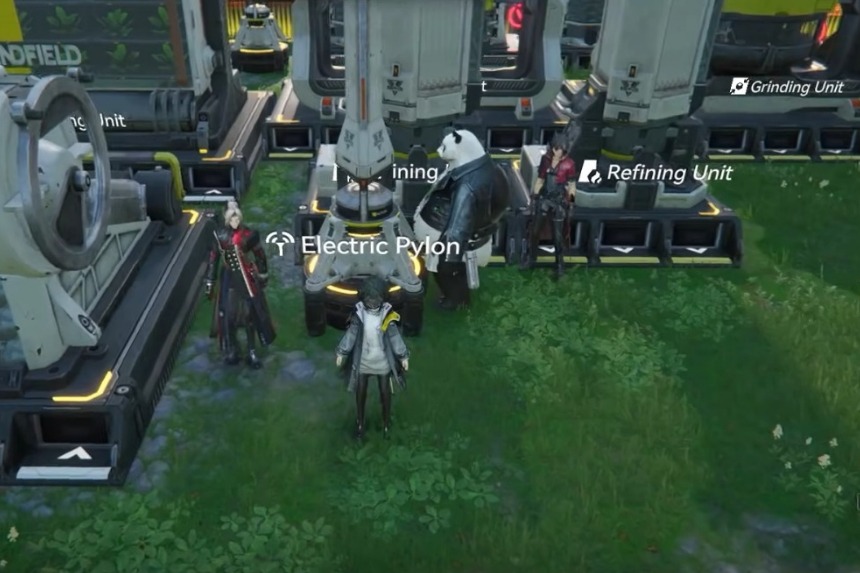
Place two Refining Units in front of your Grinding Units, but leave a space of one block between each Refining Unit. It is very important to ensure that the input lines are all going from behind.
Next, you will want to add an additional Refining Unit next to one of your Grinding Units, and then place another Refining Unit in front of one of the others. The reason for doing this is because all items need to be refined twice.
Finally, you will want to place an Electric Pylon in front of your Refining Units, with one side of the Electric Pylon having one port open. This will allow you to provide consistent power supply to your Refining Units.
Making Cryston Components
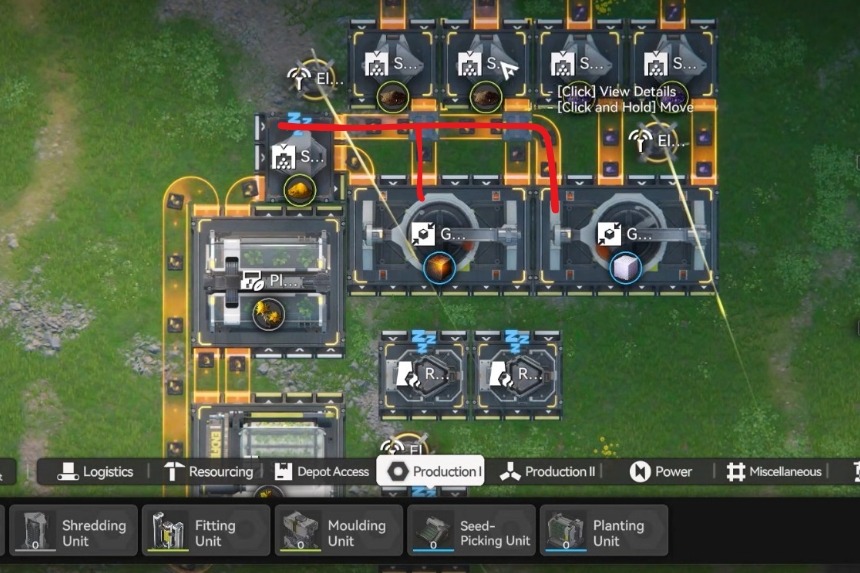
After preparation of all the materials, set the Gearing Unit directly against the Refining Unit with the left side having one block of space open. Position so that it is facing right-to-left.
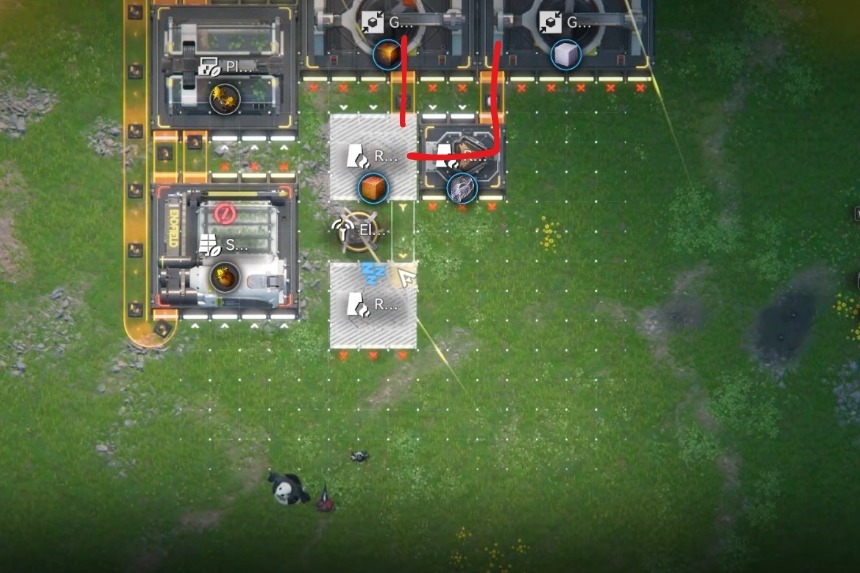
Connect the Refiners and Gearing Unit using conveyor belts. The Gearing unit needs 10 units of every material and will provide one Cryston Component every 10 seconds.
Storing the Output
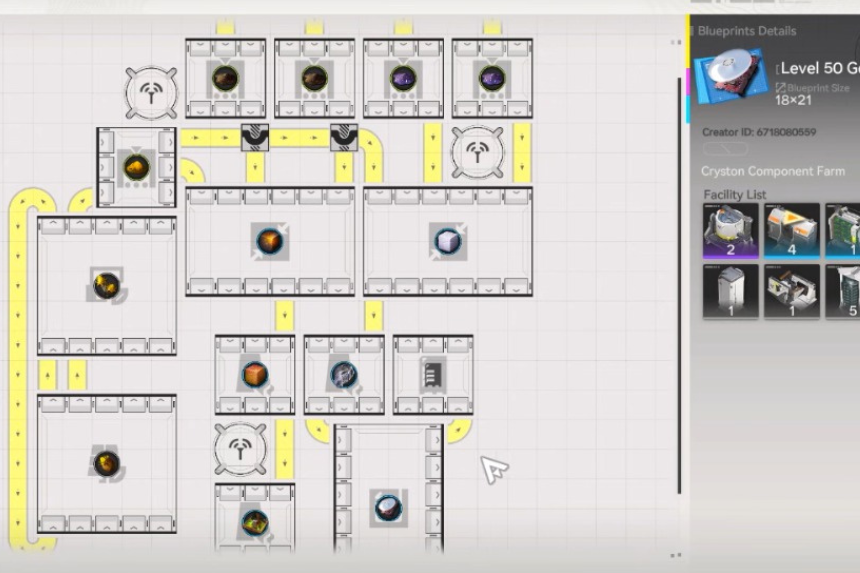
When ready for the final components, position a Protocol Stash near the refinery with the arrows pointed away from the Gearing Unit. Use a conveyor belt to connect your stash and set the stash to belt-free transfer so Cryston Components are delivered directly to your base core over time.
Note: If desired; you can move your entire setup later as well. To do this, open the Top View, select all items via the bulk action key, press ‘M’ to move & then ‘R’ to rotate before placing them in another area of your base.
FAQs
- Why do you need multiple refining units?
- Since Cryston Component materials need to be refined twice, you’ll require multiple refining units.
- Can you relocate the setup afterwards?
- Absolutely. To move the entire build, use Top View → Bulk Select → Press ‘M’ to move → ‘R’ to rotate. This will allow you to reposition the setup anywhere in the base.
