
In “Schedule 1,” effectively managing your growing operation hinges on automating tasks and optimizing workflows. This is where Handlers come into play. These hired workers can significantly streamline your production by handling transportation and workstation management, allowing you to focus on strategic decisions. This guide will walk you through the process of hiring, assigning tasks, and automating deliveries using Handlers, ultimately boosting your efficiency and profitability.
How to Get a Handler
You can hire a Handler from the Fixer at the Warehouse, but keep in mind the Warehouse is only open from 6 PM to 6 AM. Hiring a Handler costs between $1,000 and $1,500 upfront, plus a daily wage of $200. Once hired, they’ll be sent to the property you choose. The first thing you’ll need to do is assign them a bed and make sure their daily wage is covered. After that, you’re free to start giving them tasks.
How to Use a Handler

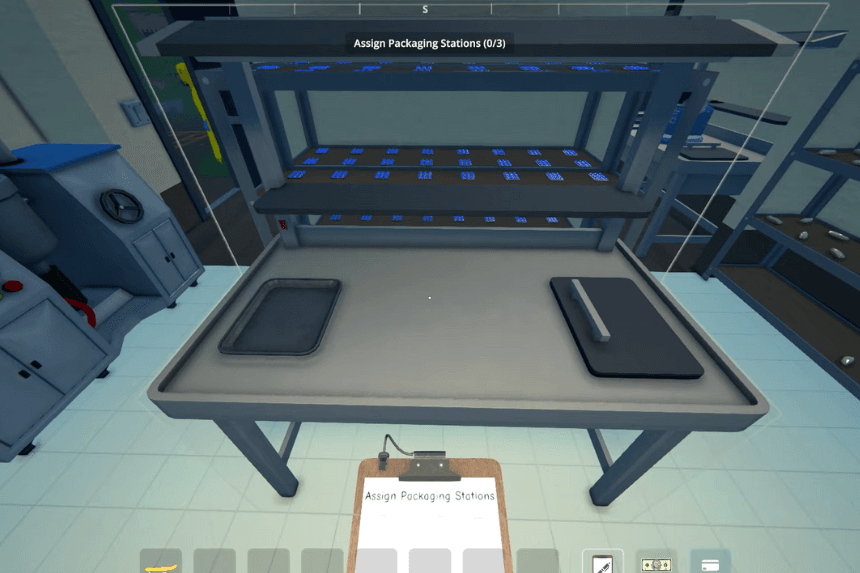
You can assign tasks to your Handler using the Management Clipboard, which you receive when you hire your first employee. Open the clipboard, click on the Handler, and you’ll see their current assignments. Each Handler can be assigned to up to three workstations, like Packaging Stations or the Brick Press. They can also be given up to five delivery routes between two points, allowing you to automate your base.
To set up a route, open the Management Clipboard, select “Add New,” then choose a source for the items. Repeat the process to select a destination. Your Handler will then automatically transport items from the source to the destination. For example, you can have them move jars of OG Kush from two Supply Racks to a Packaging Station.
To optimize routes, keep in mind that many workstations, pots, Grow Tents, and other equipment have a built-in destination setting. If you click on them with the Management Clipboard, you can set where their output should go. For example, if you set a Packaging Station to send items to a Supply Rack, the Handler will move them there automatically without using up one of your five route slots. Finally, be sure to balance production with what your Handler can realistically package to keep things running smoothly.
Automate Deliveries with Handler
To fully automate production at your base, assign both the Loading Dock and a Supply Rack to your Handler. If all your workers are using the same Supply Rack, you can order essential items like jars, seeds, and soil to be delivered to the Loading Dock. Your Handler will then move everything to the Supply Rack, where workers can grab what they need.
Just like before, you can set up a route using the Management Clipboard by selecting the Loading Dock as the source. Once this is in place, the entire production process runs on its own, all you have to do is place orders through your phone app without needing to visit the property.
