

The High Capacity Air Tank is one of the best upgrades in Subnautica 2 that you can get from the start of your journey. This tank will give you many times more oxygen compared to the Standard Air Tank. It will let you stay longer and deeper under the water and find some hidden spots without going to the surface. In this guide, we will show you where to find the High-Capacity Air Tank blueprint and how to craft it.
How To Unlock High-Capacity Air Tank
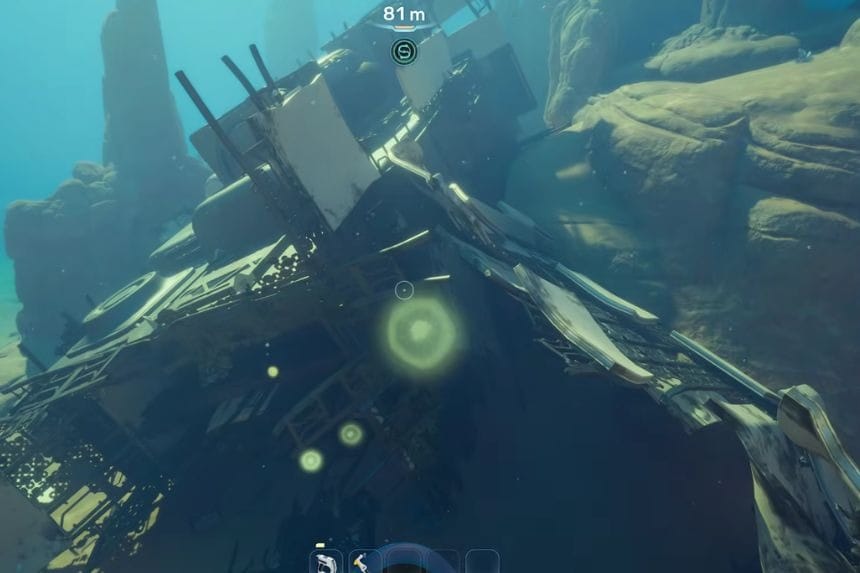
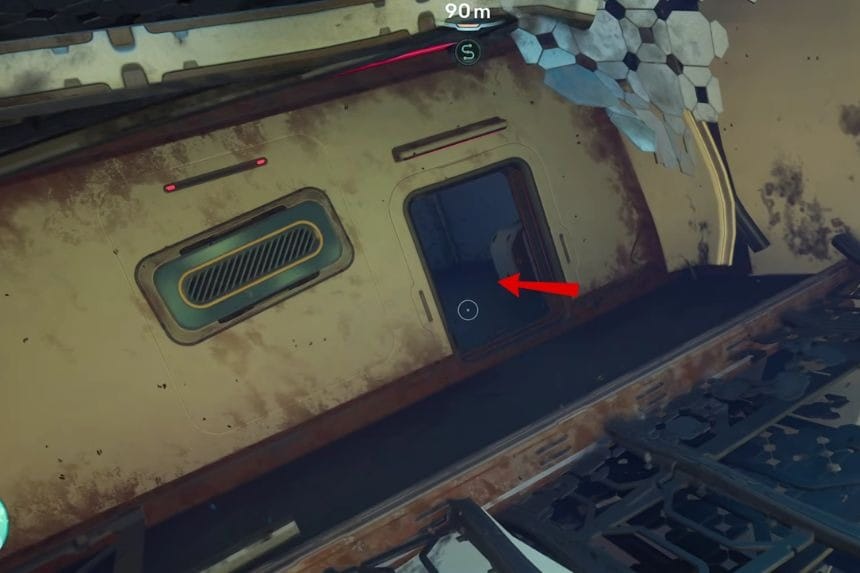
To unlock the blueprint, you have to scan the High-Capacity Air Tank Data Card found in one of the wrecked ships near you. Begin scanning for the blueprint from your Lifepod by travelling 210° south-west. You should move ahead without stopping until you reach a deep water drop-off.
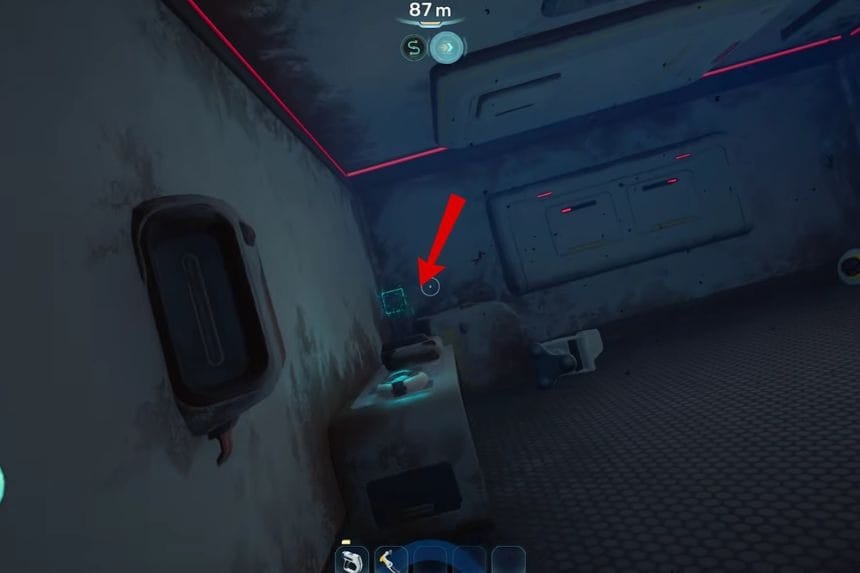
At that point, look out for a clam-like organism. Continue on, and you will notice a shipwreck ahead. The wreckage is about 270-300 metres from your Lifepod. You will find the blueprint in a room located in the ship’s wreck. You will find the data card on its left side and then scan it using your Scanner.
How To Craft The High-Capacity Air Tank
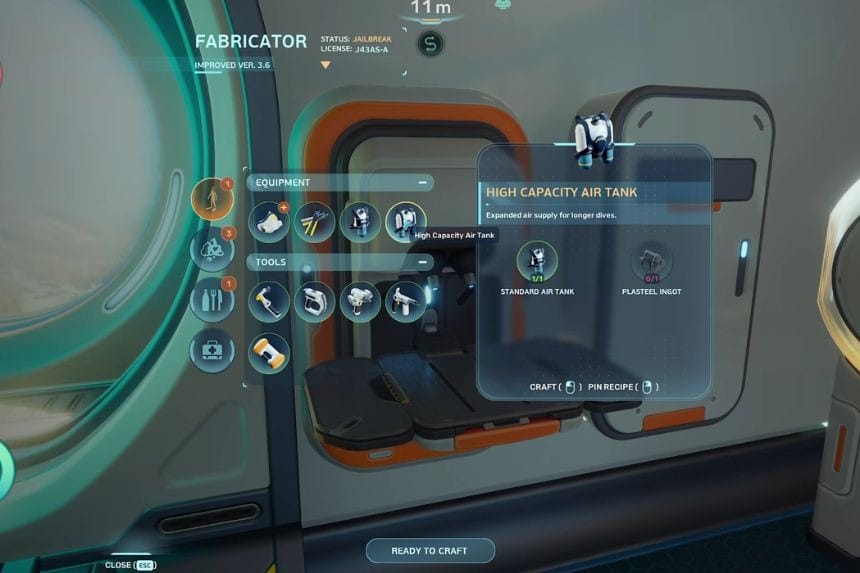
After unlocking the blueprint, return to your base or Lifepod and use the Fabricator. To craft the High-Capacity Air Tank, you will need your Standard Air Tank and Plaststeel. After gathering the necessary resources, make an improved tank for yourself and attach it to increase your oxygen capacity.
This upgrade will considerably raise your oxygen capacity, which will make exploring underwater much easier. With the High Capacity Air Tank equipped, your oxygen storage rises from 75 to 120 units. This means that you will be able to spend much more time in the water without surfacing.
