Close Menu

    Subscribe to Updates

    Get the latest creative news from FooBar about art, design and business.

    What's Hot

    How to Reach Recycling and Reclamation Key in Poppy Playtime: Chapter 5

    February 20, 2026

    How to Unlock the Pressure Hand Locker Code in Poppy Playtime: Chapter 5

    February 20, 2026

    Engineering Workshop Locker Puzzle – Poppy Playtime Chapter 5

    February 20, 2026
    Facebook X (Twitter) Instagram
    Patch Crazy
    • Guides
    • Server Status
    • Patch Notes
    • Featured
    • News
    • Reviews
    Facebook X (Twitter) YouTube Reddit
    Patch Crazy
    Home»Guides»How to Unlock the Pressure Hand Locker Code in Poppy Playtime: Chapter 5
    How to Unlock the Pressure Hand Locker Code in Poppy Playtime: Chapter 5
    Guides

    How to Unlock the Pressure Hand Locker Code in Poppy Playtime: Chapter 5

    By NanditaFebruary 20, 2026No Comments2 Mins Read
    Share
    Facebook Twitter LinkedIn Pinterest Email

    Highlights

    • The Pressure Hand is locked inside a locker, which is located inside the main office on the right side.
    • You will need the Glowby backlight to find the hidden clue. The clue is hidden behind a whiteboard.
    • The Pressure Hand allows you to push heavy objects and continue progressing in chapter 5.

    To unlock the Pressure Hand and move forward in Poppy Playtime: Chapter 5, you need to create a path to the main office, find the hidden locker code, and collect the upgrade for your GrabPack. The Pressure Hand is an important upgrade that lets you push objects and makes it easier for you to move forward in the story. In this guide, we will show you how to get the GrabPack & Pressure Hand Locker code in Poppy Playtime: Chapter 5.

    How to Unlock the Pressure Hand Locker Code
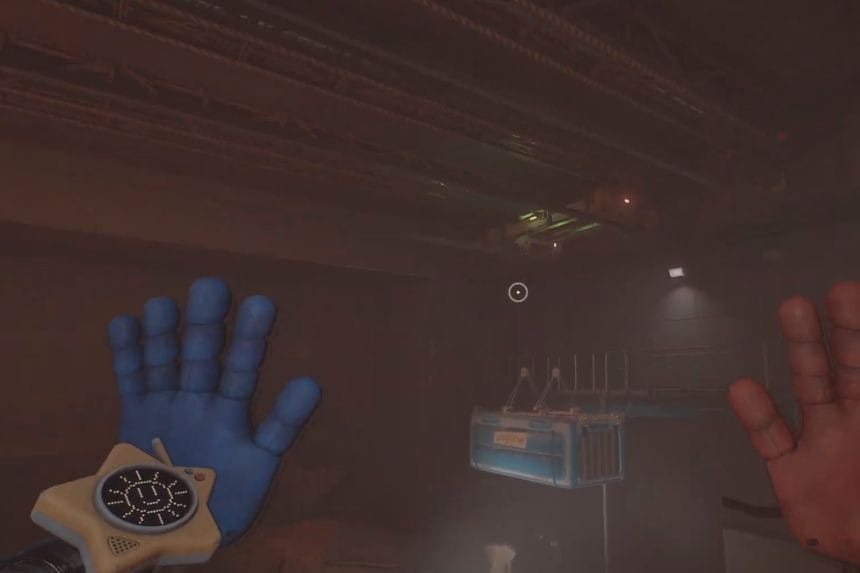
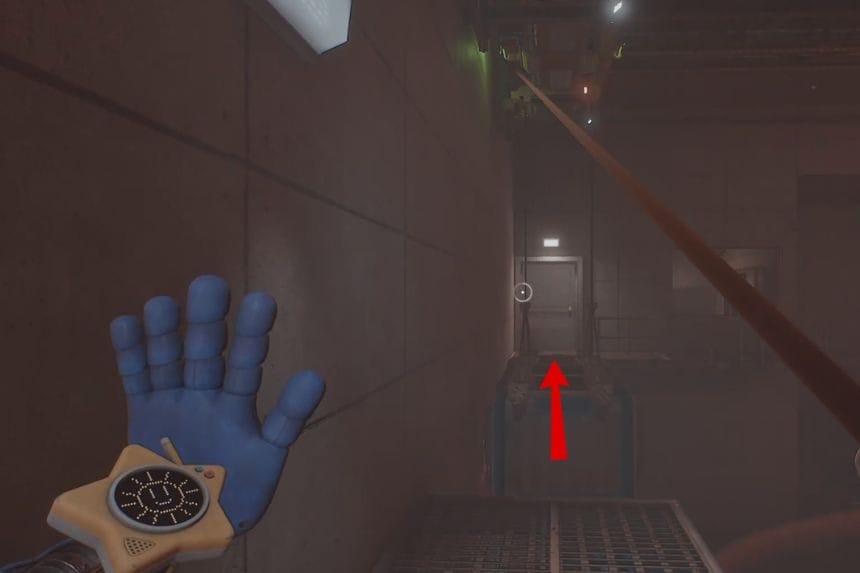
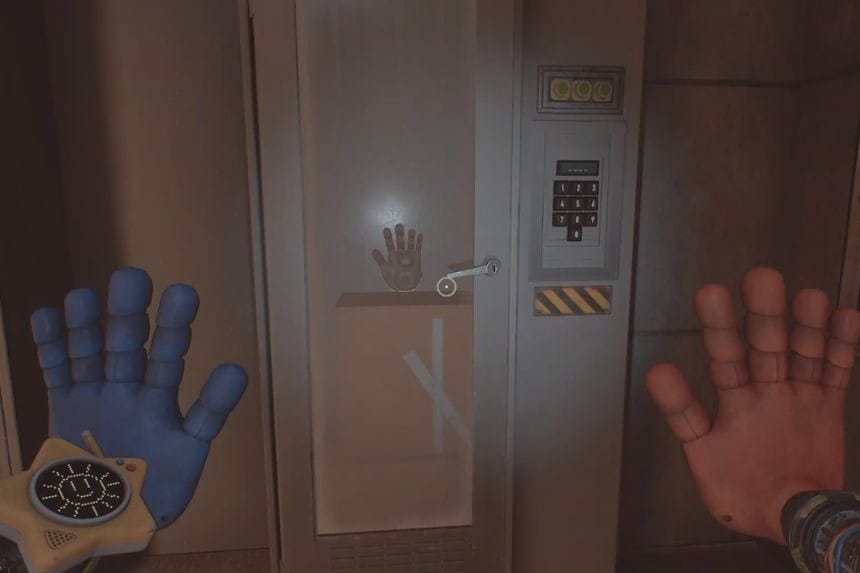
    Use one of your hands to grab the chained platform on the right side. Pull it all the way to the left so that it fills the gap and makes a bridge to the main office. Go inside the main office, and you will find the locker on the right side. 
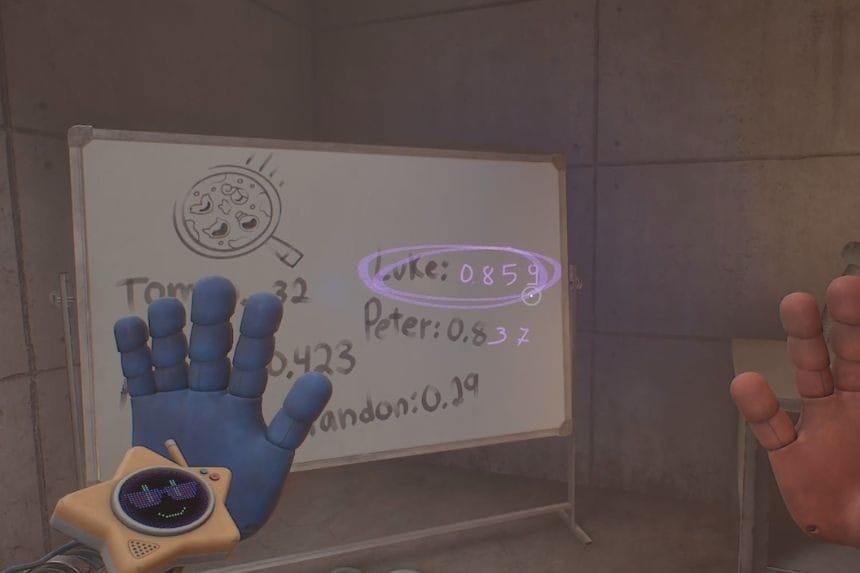
    After entering the office, switch your Glowby to backlight mode. Look behind the whiteboard by flipping it around. On the back, you will see the locker code circled by a marker. Now, enter the code into the locker to collect the Pressure Hand for your Grab Pack.

    FAQs

    1. How do you see the locker code behind the whiteboard?
      • Use Glowby and switch it to backlight mode to see the code on the whiteboard.
    2. What happens if you enter the wrong locker code?
      • Nothing will happen, and you can try again till you enter the correct code.
    3. How do you find the Pressure Hand?
      • The Pressure Hand is locked inside the main office area on the right side of the room.
    Share. Facebook Twitter Pinterest LinkedIn Tumblr Email
    Nandita
    • X (Twitter)
    • LinkedIn

    Damsel in her own distress, abodes in her imaginary world, and enchanted by the magical realms of Elden Ring. A professional overthinker who loves to weave captivating stories, and is fascinated by the art of doing nothing. When not lost in thought, paints canvases that echo her wildest daydreams!

    Related Posts

    How to Reach Recycling and Reclamation Key in Poppy Playtime: Chapter 5

    February 20, 2026

    Engineering Workshop Locker Puzzle – Poppy Playtime Chapter 5

    February 20, 2026

    Face Door Code – Poppy Playtime Chapter 5 

    February 20, 2026

    How to Get Irradiated Slag Resource Location in Dune: Awakening

    February 20, 2026
    Add A Comment
    Leave A Reply Cancel Reply

    Editors Picks
    Guides

    How to Reach Recycling and Reclamation Key in Poppy Playtime: Chapter 5

    By Nandita
    Guides

    Engineering Workshop Locker Puzzle – Poppy Playtime Chapter 5

    By Nandita
    Guides

    Face Door Code – Poppy Playtime Chapter 5 

    By Nandita
    Guides

    How to Get Irradiated Slag Resource Location in Dune: Awakening

    By Sankar
    Guides

    How To Get Coconuts in Peak

    By Sankar
    Patch Crazy
    Facebook X (Twitter) Instagram Pinterest Vimeo YouTube
    • Home
    © 2026 PatchCrazy.

    Type above and press Enter to search. Press Esc to cancel.