Close Menu

    Subscribe to Updates

    Get the latest creative news from FooBar about art, design and business.

    What's Hot

    Kids Aren’t Alright Quest Guide – Quarantine Zone: The Last Check

    January 21, 2026

    All Endings in Quarantine Zone: The Last Check

    January 21, 2026

    Scout 8 Manhunt Riddle Solutions – The Division 2 Y7S3

    January 21, 2026
    Facebook X (Twitter) Instagram
    Patch Crazy
    • Guides
    • Server Status
    • Patch Notes
    • Featured
    • Reviews
    Facebook X (Twitter) Instagram
    Patch Crazy
    Home»Guides»Vibin on the Cybin Full Quest (Getting Shrooms) – Schedule 1
    Vibin on the Cybin Full Quest (Getting Shrooms) - Schedule 1
    Guides

    Vibin on the Cybin Full Quest (Getting Shrooms) – Schedule 1

    By SankarDecember 29, 2025No Comments2 Mins Read
    Share
    Facebook Twitter LinkedIn Pinterest Email

    In Schedule 1, the “Vibin’ on the Cybin” quest lets you grow your own mushrooms and sell them to customers. It’s a mix of exploration, collecting items, and carefully setting up your mushroom-growing operation. In this guide, we’ll tell you how to start the quest, gather everything you need, grow your mushrooms, and get them ready to sell. 

    How to Start Vibin’ on the ‘Cybin Quest

    To start this quest, you first need to unlock Fungal Phil as a supplier, which means you’ll need to unlock Downtown. Once that’s done, just open your phone, and you’ll see instructions from Fungal Phil to get the quest going.

    Vibin on the Cybin Full Quest Guide

    The first step in the quest is to gather all the items you’ll need. Start by ordering a Grain Bag, a Spore Syringe, and some Mushroom Substrate from Fungal Phil through a dead drop. After that, head over to Oscar once it’s past sunset to pick up a Mushroom Spawn and a Mushroom Bed. You’ll also need to get a Spray Bottle and an AC from Dan’s Hardware store. Once you have all of these, you’ll have everything required to move forward in the quest.

    How to Unlock Jane Lucero in Schedule 1

    Growing the Mushrooms

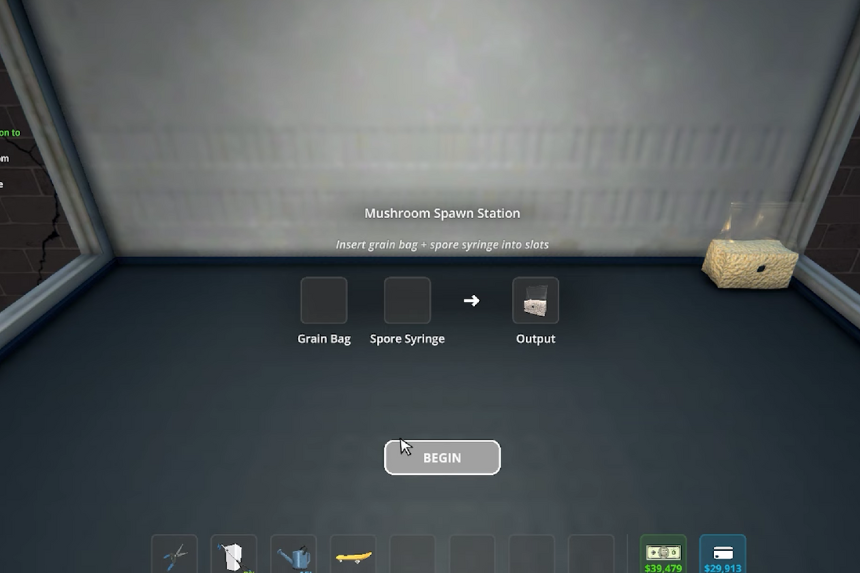
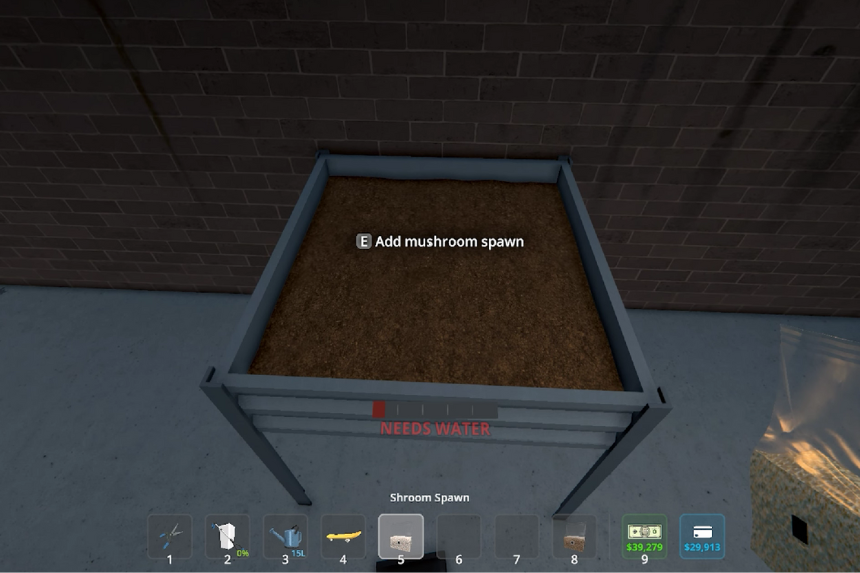
    First, set up the Mushroom Spawn Station in a good spot. Interact with it and place the Grain Bag and the Spore Syringe in the two slots. Take the syringe, remove the cap, and use it to fill the Grain Bag with the spores. Next, find a suitable place for the Mushroom Bed and put the Substrate inside. Then, drop the Mushroom Spawn on the output from the previous step onto the substrate and cover it with soil.
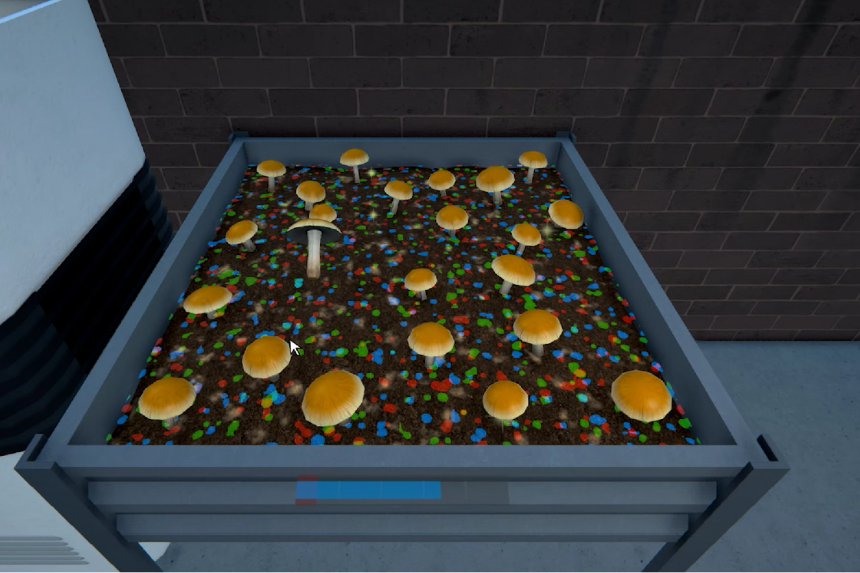
    Place the AC in the same room and press the “cool” button to lower the temperature to the right level. After that, fill the Spray Bottle with water and use it to water five spots. Once everything is set up, you can click on the mushrooms to harvest them. Finally, package them in sachets so you’re ready to start selling to customers in the game.

    Share. Facebook Twitter Pinterest LinkedIn Tumblr Email
    Sankar
    • X (Twitter)
    • LinkedIn

    Decided that degrees were as useful as extra lives in a Mario game-totally unnecessary! I’m diving into the extravagant universe of my favourite game, Assassin’s Creed, which lets me roam the world without actually paying for plane tickets. Hodophile by nature and aspiring to get lost in Hang Sơn Đoòng cave in Vietnam someday!

    Related Posts

    Kids Aren’t Alright Quest Guide – Quarantine Zone: The Last Check

    January 21, 2026

    Scout 8 Manhunt Riddle Solutions – The Division 2 Y7S3

    January 21, 2026

    All School Outfits Location in Heartopia 

    January 21, 2026

    How to Get All Heartopia Pets

    January 20, 2026
    Add A Comment
    Leave A Reply Cancel Reply

    Latest Posts

    Kids Aren’t Alright Quest Guide – Quarantine Zone: The Last Check

    January 21, 2026

    Scout 8 Manhunt Riddle Solutions – The Division 2 Y7S3

    January 21, 2026

    All School Outfits Location in Heartopia 

    January 21, 2026

    How to Get All Heartopia Pets

    January 20, 2026
    Top Reviews
    70
    Reviews

    Review: Dunecrawl, Is It Worth It

    By Sankar
    Patch Crazy
    Facebook X (Twitter) Instagram Pinterest Vimeo YouTube
    • Home
    © 2026 PatchCrazy.

    Type above and press Enter to search. Press Esc to cancel.