
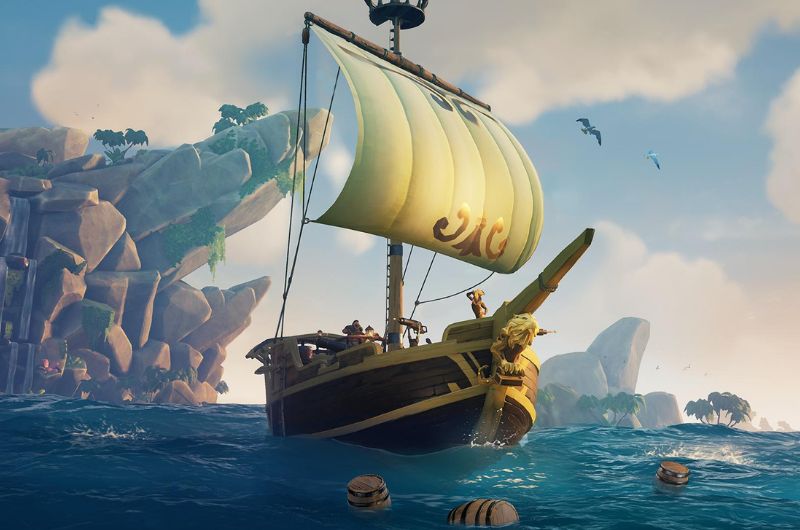
Sea of Thieves, developed by Rare – one of the best Xbox Studios is a unique multiplayer pirate adventure, and there is no other game like it. Skull & Bones is a competition, but the two games are so distinct in their gameplay that they cannot be compared. Sea of Thieves is an online game, and like all online games, the Sea of Thieves server status plays a crucial role so users continue to enjoy the game. The game servers can go down occasionally for routine maintenance or to release an urgent hotfix. When that happens, players can get all kinds of errors. Knowing the status of the servers can save you a lot of time. This article delves into the current Sea of Thieves server status, user-reported problems, and Rare’s acknowledgments, if any.
Report Issues with Sea of Thieves
A large number of reports usually means that the servers are down. The vote is reset every few hours to reflect the current server status. The Baseline Reports are 3. Reports exceeding the baseline indicate an issue with the servers or a problem with the game.
Sea of Thieves Server Maintenance
This section announces the maintenance schedule. For the current server status, scroll to the section below.
18 November
Sea of Thieves servers will undergo maintenance on 18 November, starting at 10 AM UTC. The ETA of the maintenance has not been shared.
Maintenance Start Times in Major Cities
| Time Zone | Representative City | Converted Time |
|---|---|---|
| UTC (Coordinated Universal Time) | Reykjavík | 10:00 AM, October 31st |
| GMT (Greenwich Mean Time) | London | 10:00 AM, October 31st |
| WAT (West Africa Time) | Lagos | 11:00 AM, October 31st |
| CET (Central European Time) | Berlin, Paris | 11:00 AM, October 31st |
| EET (Eastern European Time) | Athens, Cairo | 12:00 PM, October 31st |
| MSK (Moscow Standard Time) | Moscow | 1:00 PM, October 31st |
| IST (India Standard Time) | New Delhi | 3:30 PM, October 31st |
| CST (China Standard Time) | Beijing, Shanghai | 6:00 PM, October 31st |
| JST (Japan Standard Time) | Tokyo | 7:00 PM, October 31st |
| AEDT (Australian Eastern Daylight Time) | Sydney | 9:00 PM, October 31st |
| PDT (Pacific Daylight Time) | Los Angeles | 3:00 AM, October 31st |
| MDT (Mountain Daylight Time) | Denver | 4:00 AM, October 31st |
| CDT (Central Daylight Time) | Chicago | 5:00 AM, October 31st |
| EDT (Eastern Daylight Time) | New York | 6:00 AM, October 31st |
| BRT (Brasília Time) | São Paulo | 7:00 AM, October 31st |
22 October
The Sea of Thieves servers are scheduled for maintenance today, 22 October, at approximately 9 AM UTC. This is a bug fix update to bring back some of the Season 14 features that were disabled due to a bug in the last patch. The maintenance completion time has not been announced. Stay tuned for updates.
17 October
Sea of Thieves servers will be taken offline on 17 October at approximately 9 am (UTC) in preparation for the arrival of Season 14.
Update from Devs: “The team is working hard to bring the game back online, however we’ve had to disable hanging from ledges and traps in today’s update to maintain the integrity of this launch. We will work to deliver these features asap, but please note that associated Commendations will not be available until these features are added.”
Update: “We’re almost ready to let pirates set sail, but those eager to know what today’s update will hold can acquaint themselves with the details and changes right now with our latest release notes:” Patch Notes Here
26 September
The Sea of Thieves servers will undergo maintenance starting at 9 AM UTC on 26 September to roll out a hotfix for several game issues. Scroll to the below section for a countdown until the patch and the patch notes.
20 September
Sea of Thieves servers will be down for emergency maintenance to fix an issue with the Fishing Rod that caused the Marblebeard and Allmondbeard errors. The servers will be down for maintenance starting at 1 PM UTC. Check below for the exact times the servers go down in your city.
Common Issues Faced by Players
- Beard Errors: When the servers are down for maintenance or experiencing a glitch, you can experience different types of Beard errors in the game, such as Fishbeard, Daffodilbeard, Fluffybeard, Lapisbeard, and Lavenderbeard. If you have any of these errors, you can rest assured that the issue is on the server end.
- Other Beard Errors: Besides the above server-related beard errors, there are a bunch of other Beard errors that you can resolve on your end. Check the official error page.
- Beigebeard & Lightbeigebeard: Getting these errors means you do not have the latest version of the game. Maybe there was an update, but you have not installed it.
- Disconnections: These issues can be caused by server downtime or a problem with your internet connection. Check the server status below before proceeding to troubleshoot.
Current Server Status
The servers are online. Vote in the above poll and check the results for a more accurate reading. There is an upcoming maintenance today on 31 October.
22 October
Servers are online, but there is an upcoming maintenance.
15 October
No ongoing maintenance exists, but the Sea of Thieves servers are down. They appear to have been down starting at 7:30 AM PDT.
26 September 2024
The Sea of Thieves servers will go down today at 9 AM UTC. Below is the countdown until the patch, so you can plan your heist, as well as the patch notes.
20 September 2024
The servers are down for maintenance starting at 1 PM UTC on 20 September. This table provides the equivalent local times for various major time zones corresponding to 20 September at 1 PM UTC.
| Time Zone | Representative City | Converted Time |
|---|---|---|
| UTC (Coordinated Universal Time) | Reykjavík | 1:00 PM, September 20th |
| GMT (Greenwich Mean Time) | London | 2:00 PM, September 20th |
| WAT (West Africa Time) | Lagos | 2:00 PM, September 20th |
| CET (Central European Time) | Berlin, Paris | 3:00 PM, September 20th |
| EET (Eastern European Time) | Athens, Cairo | 4:00 PM, September 20th |
| MSK (Moscow Standard Time) | Moscow | 4:00 PM, September 20th |
| IST (India Standard Time) | New Delhi | 6:30 PM, September 20th |
| CST (China Standard Time) | Beijing, Shanghai | 9:00 PM, September 20th |
| JST (Japan Standard Time) | Tokyo | 10:00 PM, September 20th |
| AEST (Australian Eastern Standard Time) | Sydney | 11:00 PM, September 20th |
| PDT (Pacific Daylight Time) | Los Angeles | 6:00 AM, September 20th |
| MDT (Mountain Daylight Time) | Denver | 7:00 AM, September 20th |
| CDT (Central Daylight Time) | Chicago | 8:00 AM, September 20th |
| EDT (Eastern Daylight Time) | New York | 9:00 AM, September 20th |
| BRT (Brasília Time) | São Paulo | 10:00 AM, September 20th |
19 September 2024
The Sea of Thieves servers will go down today, September 19th, at 9 AM UTC. The exact time when the maintenance ends has not been announced. When the servers go back online, you can find the info here and on our X Handle.
29 August 2024
Sea of Thieves servers will go down for an urgent hotfix to address wave-related issues in Hourglass battles. The downtime will start on 29 August at 9:00 AM UTC.
Rare’s Response & Patch Notes
“Fishing Rod Issues – 20/09 Hotfix – This update introduced an issue with the fishing rod that has had massive ramifications on the wider experience, from new launching exploits and negative player interactions to affecting wider game stability, with players experiencing elevated Marblebeard and Allmondbeard errors. The team have been working to expedite a hotfix for the root cause of this issue, which from internal testing shows to have resolved all of the various use cases we are seeing reported from Live. We will be taking the game down for maintenance on Friday afternoon [13:00 UTC, 20th September 2024] and deploying a small game update to address these issues ahead of the weekend. While there are clearly other issues we are still prioritising fixes for, we wanted to expedite an update here for the fishing rod as fast as we could, and therefore further fixes will now be taken in a follow-up release next week.”
Tips for Players
While Rare is working to resolve the issue on their end, there are a few things you can do to fix or troubleshoot the cause of the problem and hopefully get into the game:
- Check Server Status: Whenever you encounter an error that seems related to the server, the first thing you should do is check the server status.
- Stable Internet Connection: Many times, the cause of disconnects and lag is your internet connection. Ensure that you have fast internet for online games. If you have the option, try switching to another ISP or your mobile hotspot. Third-party software that reduces lag and provides a streamlined server connection is known to help in many cases.
- Play During Off-Peak Hours: If there has been a major content update, the issue may be caused by server overload. Try playing in off-peak hours for a better experience.
- Report Issues: If the problem is isolated to you, it’s best to report it to Rare Support or go through the support articles.
How to Check Server Status of Sea of Thieves
While we update this page regularly to reflect server issues, if you wish to verify the server status on your own, there are a few ways to do so. You can visit the Official Sea of Thieves website or Downdetector.
