
In Wardogs, being able to ask for a pickup, drop-off, and supplies can be very helpful in the middle of the game. If you want a lift to get to your destination or need a helicopter dropped off in a particular place or supplies sent to you, all of these can be requested quickly. In this guide, you will learn how to do all that.
How to Request a Pickup
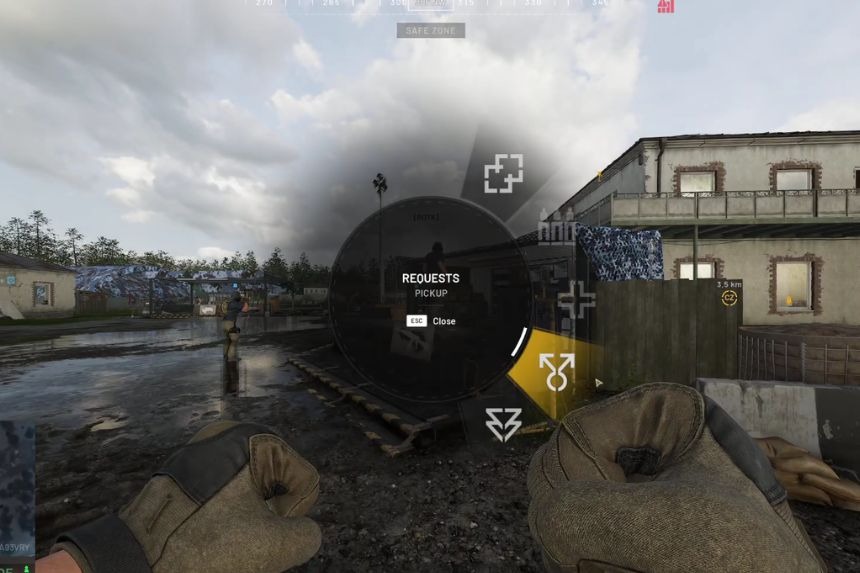
In case you get stranded at a particular spot on the map and require transportation, Wardogs offers you the opportunity to make a pickup request from any nearby pilot or driver. It is quite easy.
As long as you are within the circle, press the Middle Mouse Button and a request menu will pop up. Click on Request and then choose Request Pickup. After you make the request, any available pilot or driver on the map will receive it. After that, he will approach you to take you along. Even if you die prior to sending the request, you can do it from the spawn screen.
How to Request a Drop-Off
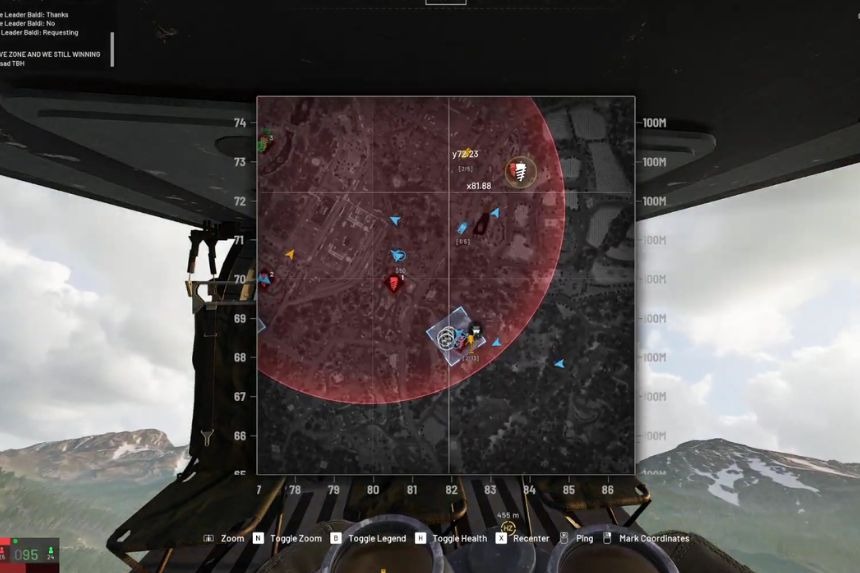
When riding in a helicopter, if you wish to stop in a particular spot, all you have to do is ask for a drop-off in Wardogs.
In the helicopter, click on the map with the right mouse button to put a mark on the spot where you want to land. After that, choose the option “Request Drop-Off.”
The driver will see the mark on the map and will be able to take you there. Once you arrive, you can just jump from the helicopter and go on your way on foot.
How to Request Supplies
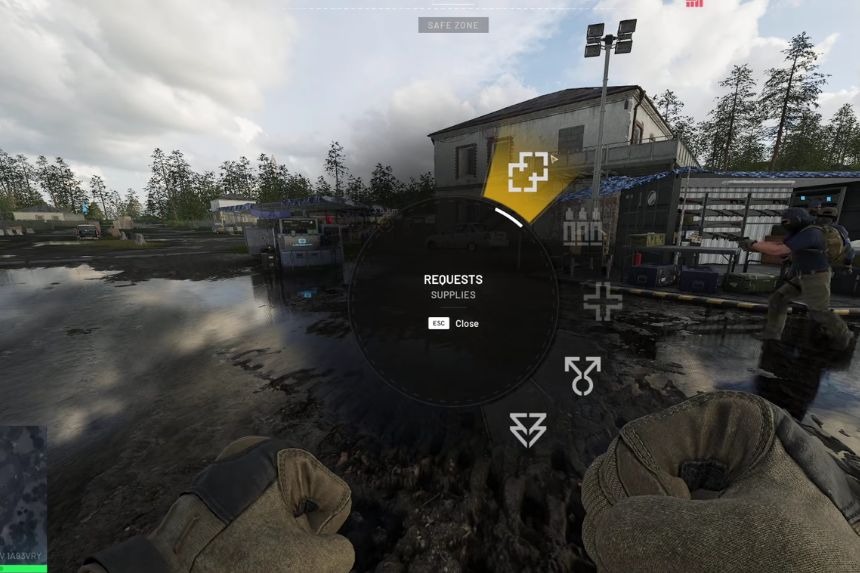
If you require additional supplies while playing Wardogs, you can get them by requesting them straight from the map. It is a fast and simple process. First, press down the Middle Mouse Button to get into the requesting mode. Second, drag your mouse to the right and click on Request.
Now, you should go to Request Supplies. Your location will show up on the map after making the request. This means that pilots, drivers, and other players will know where the supplies have to be dropped. All you have to do is wait at your location.
