
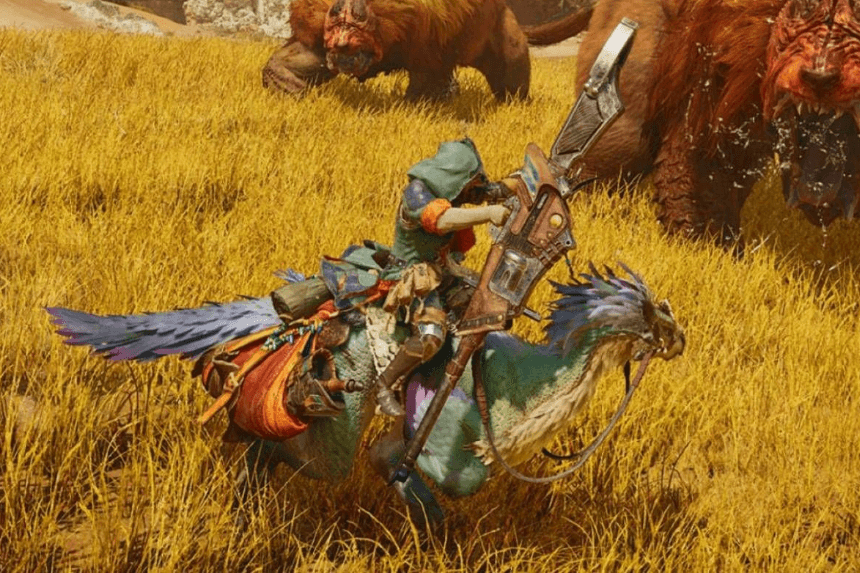
Mounting monsters in Monster Hunter Wilds is a crucial combat technique that lets hunters deal massive damage and control monster movements. By performing aerial attacks and maintaining balance while mounted, players can exploit weaknesses and land devastating blows. This guide will walk you through the mounting process, key mechanics, and tips to maximise your effectiveness in battle.
Monster Hunter Wilds: How to Mount Monsters
If you’re new to the series, mounting monsters might not even cross your mind, but once you grasp the basics, you’ll be riding them with ease. To initiate a mount, you need to attack a monster from above—while there are some nuances, this is the core principle.
- Triggering a Mount: Landing airborne attacks has a chance to trigger a mount, but there’s a hidden prerequisite—the monster must first take a certain amount of damage. Think of it as an invisible status bar—once it fills up, your next aerial attack will allow you to latch onto the monster, ready to strike.
- Timing & Strategy: With experience, you’ll start to recognise when a mount opportunity is approaching, switching between grounded attacks and aerial maneuvers. If you’re unsure, you can simply keep attempting airborne strikes until one connects.
- Weapon & Environment: Your weapon choice also plays a role, as some heavier weapons lack aerial attacks. In these cases, you’ll need to get creative, using your surroundings to gain height.
- Ledges & Cliffs: Jumping off ledges and cliffs is an effective way to land airborne hits.
- Seikret Attacks: Your Seikret allows for a jumping or dismount attack, both of which contribute to mounting.
- Holding On: When mounted, your stamina bar appears on screen, indicating how long you can stay on. The monster will do its best to shake you off, often using nearby terrain to dislodge you.
- Bracing for Impact: If you anticipate a heavy hit, hold RT (or R2) to brace yourself, reducing stamina drain and improving your chances of staying mounted.
Monster Hunter Wilds: How to Mount Attacks
Now that you’re on the monster’s back, it’s time to attack. You have three options: light attack, heavy attack, and weapon attack. Light and heavy attacks use your dagger—while they don’t deal significant damage, they’re great for quickly opening wounds. The weapon attack, on the other hand, uses your main weapon. Although it can also create wounds, it’s much slower, giving the monster a chance to shake you off.
Once a wound appears, you can unleash a powerful weapon attack to perform a finisher, dealing heavy damage and breaking the wound in the process. This move will also cause you to dismount.
If you have plenty of stamina left after opening a wound, it may be better to reposition rather than executing a finisher immediately. Some of the larger monsters have multiple targetable areas, and creating wounds on different parts can be advantageous later, even if you only manage to break one while mounted.
Remember: The primary goal when mounting a monster is to open a wound and attack it before being thrown off. To maximize effectiveness, players should always keep an eye on the stamina bar in the top left corner of the screen.
