
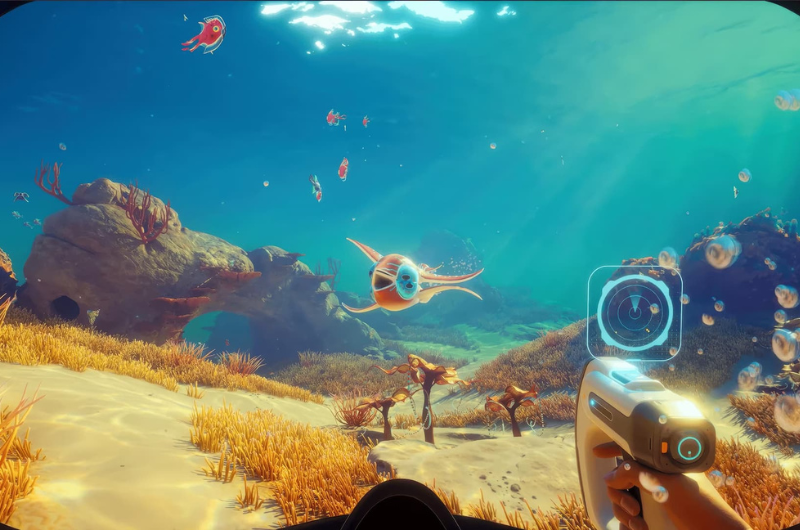
Upgrading your Tadpole so that it’s able to dive deeper becomes an essential upgrade once the game starts pushing you into more deeper and dangerous waters. After you’ve progressed the story to Alien Base, the game throws you into deeper waters where you need to explore deeper than 250m from surface level and your tadpole starts taking pressure damage because of its depth limit. To be able to explore deeper than 250m you need to upgrade Tadpole’s depth limit. In this guide, I’ll show you which upgrade module to craft to increase the depth limit and how to install them onto your tadpole so that you can get back to exploring deep waters.
Note : You need to unlock Modification Station before you can start upgrading your tadpole, you can check out my guide on How To Unlock Tadpole Upgrades.
Tadpole Depth Module
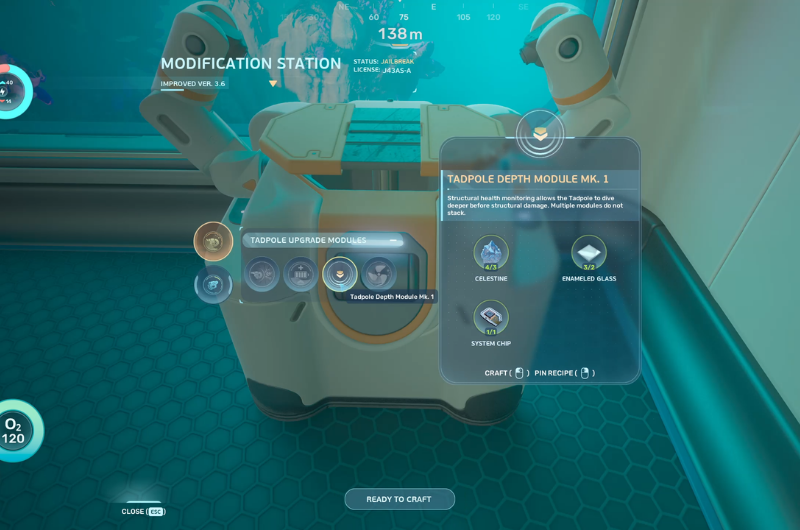
Open the Modification Station menu and look for Depth Module Mk1 under tadpole upgrades and craft the module. Crafting this module requires the following resources – celestine, enameled glass and system chip. These upgrades won’t be applied to your tadpole automatically, so you need to install them manually.
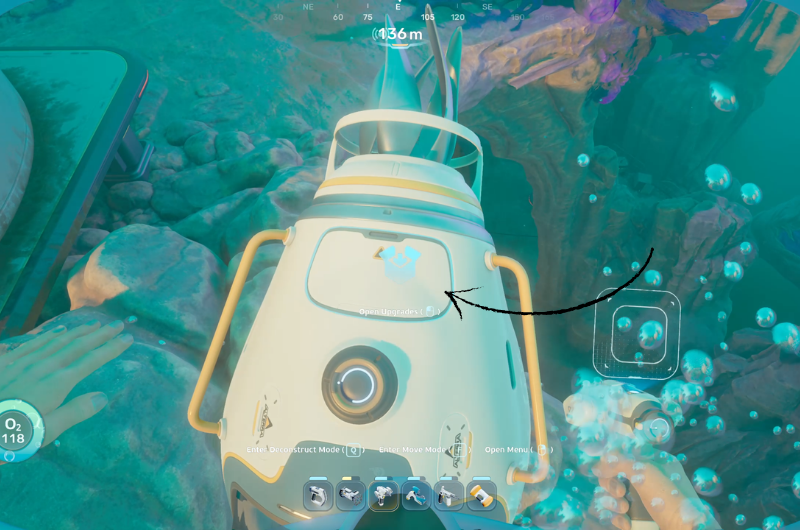
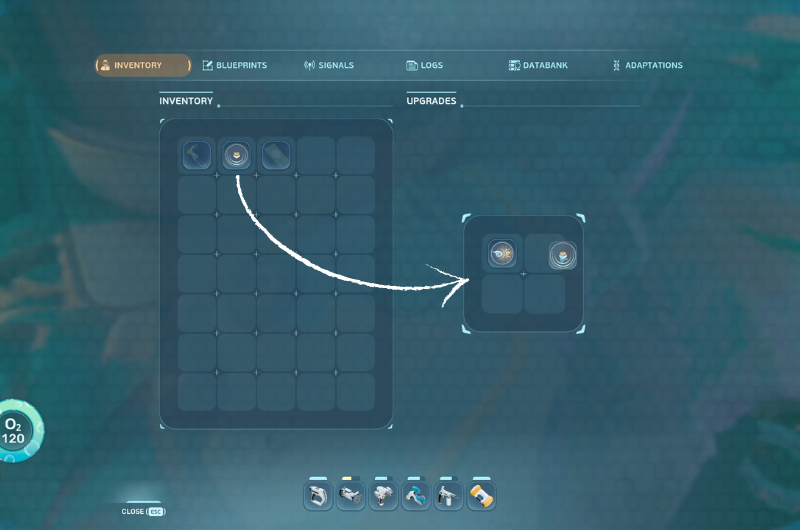
To do that, open the upgrades compartment on the back of the tadpole, then all you need to do is drag-n-drop the depth module from your inventory to the tadpole upgrade slots as shown in the above second image. And that’s it, you now have increased your Tadpole’s depth limit and can dive deeper than 250m.
Follow us for our upcoming guides on Subnautica 2. Let’s explore the deep seas together and survive.
