Close Menu

    Subscribe to Updates

    Get the latest creative news from FooBar about art, design and business.

    What's Hot

    All Hidden Treasure Map Locations – Crimson Desert

    March 29, 2026

    All Unique Weapons & Gear Locations in Crimson Desert (Part 3)

    March 29, 2026

    Solve All Ancient Ruins Puzzles in Crimson Desert

    March 29, 2026
    Facebook X (Twitter) Instagram
    Patch Crazy
    • Guides
    • Server Status
    • Patch Notes
    • Featured
    • News
    • Privacy Policy
    Facebook X (Twitter) YouTube Reddit
    Patch Crazy
    Home » How to complete the Introducing Traxus Quest in Marathon
    Guides

    How to complete the Introducing Traxus Quest in Marathon

    By NanditaMarch 9, 2026Updated:March 10, 2026No Comments2 Mins Read
    Share
    Facebook Twitter LinkedIn Pinterest Email

    In the Introducing Traxus quest in Marathon, you need to hack a terminal in Dire Marsh, but the exact location is not marked on the map. Therefore, many players have trouble finding the right terminal and completing the quest. In this guide, we will show you how to find the terminal, defeat the enemies, get the Shipping Manifest, and finish the quest.

    How to complete the Introducing Traxus Quest
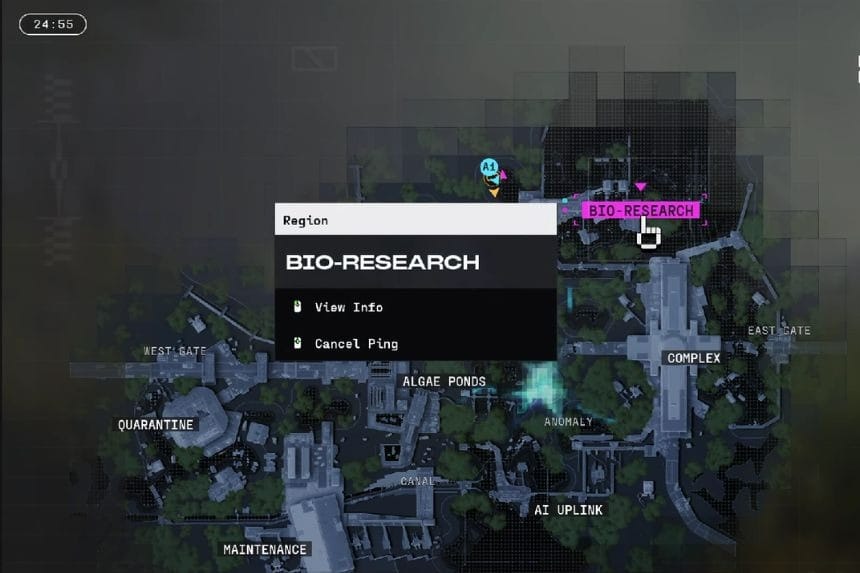
    To start the Introducing Traxus quest in Marathon, go to Dire Marsh. The quest tells you to hack a terminal at one of the following locations. You can complete the quest at any location:

    • Intersection Complex
    • Bio Research

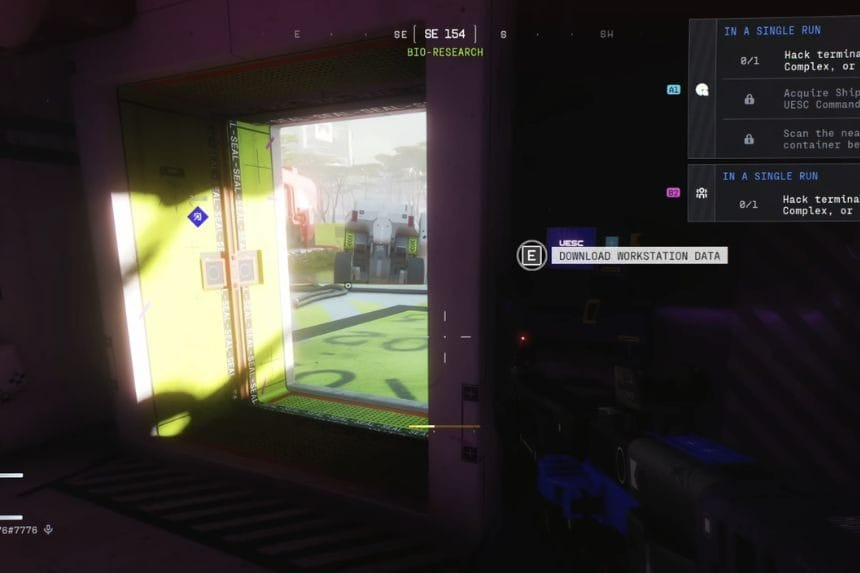
    Bio Research is a big place with a lot of buildings. The terminal you need to access is located inside one of the buildings, inside one of the tower buildings, and it is located inside the building on the ground floor. The terminal is very easy to miss. Inside the building, search for a small blue screen with the prompt ‘Download Workstation Data.’ Interact with this terminal to start the next part of the objective.

    Shipping Manifest Location
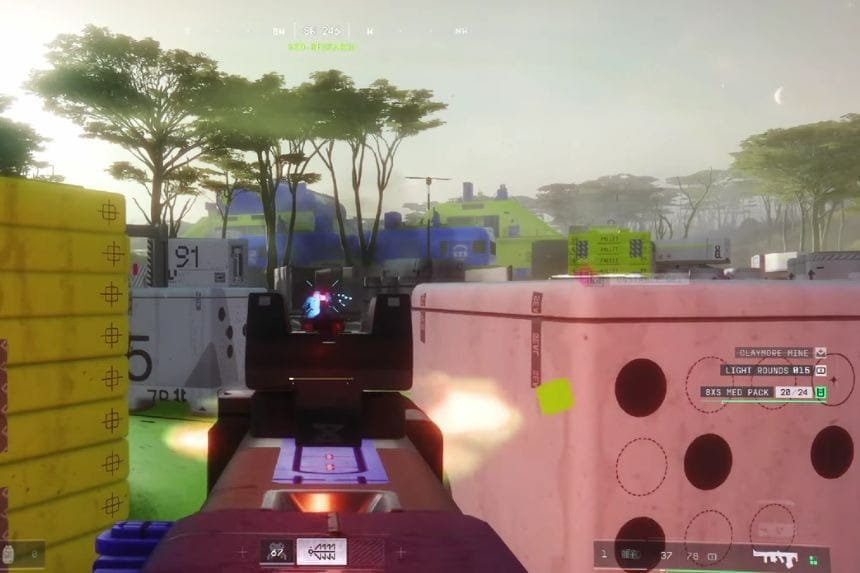
    As soon as you turn on the terminal, UEC robots will be deployed. A drop ship will drop many robots. Your main objective is to destroy the Commander robot. To do that, you should destroy the other robots, and once it is alone, it will be easy to destroy since it moves very slowly and is not very aggressive. Once you destroy it, it will drop the Shipping Manifest.

    Scanning the Cargo
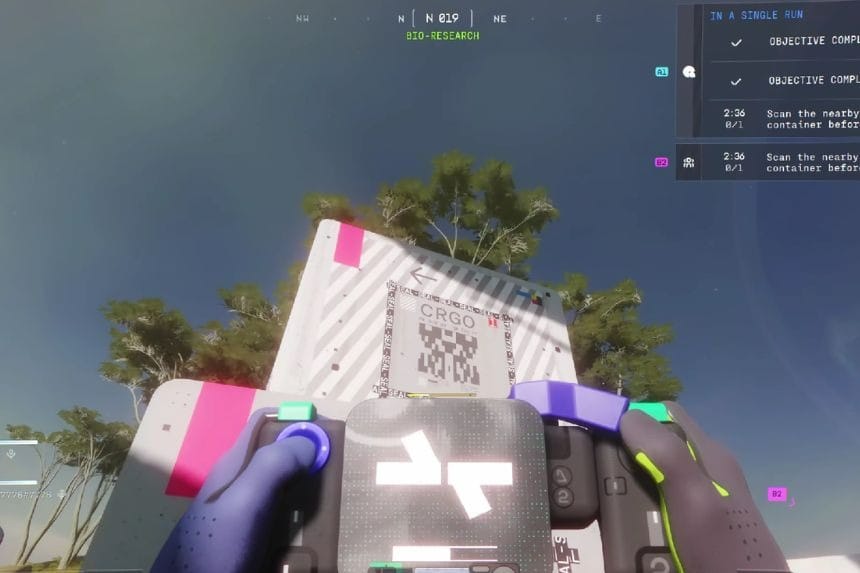
    Once you get the Shipping Manifest, your next goal is to scan a marked cargo crate that is nearby. The crate will have a marker, so it will be easy to locate it. You will need to go up to it and interact with it in order to scan it. Pressing the interact button will complete the scanning process. Once you have scanned the crate, you will complete the last objective, completing the Introducing Traxxas quest.

    Share. Facebook Twitter Pinterest LinkedIn Tumblr Email
    Nandita
    • X (Twitter)
    • LinkedIn

    Damsel in her own distress, abodes in her imaginary world, and enchanted by the magical realms of Elden Ring. A professional overthinker who loves to weave captivating stories, and is fascinated by the art of doing nothing. When not lost in thought, paints canvases that echo her wildest daydreams!

    Related Posts

    All Hidden Treasure Map Locations – Crimson Desert

    March 29, 2026

    All Unique Weapons & Gear Locations in Crimson Desert (Part 3)

    March 29, 2026

    Solve All Ancient Ruins Puzzles in Crimson Desert

    March 29, 2026

    All Legendary Animals Location in Crimson Desert

    March 28, 2026
    Add A Comment
    Leave A Reply Cancel Reply

    Editors Picks
    Guides

    All Hidden Treasure Map Locations – Crimson Desert

    By Harry S
    Guides

    All Unique Weapons & Gear Locations in Crimson Desert (Part 3)

    By Harry S
    Guides

    Solve All Ancient Ruins Puzzles in Crimson Desert

    By Harry S
    Guides

    All Legendary Animals Location in Crimson Desert

    By Harry S
    Guides

    Righteous Verdict Legendary Weapon Location – Crimson Desert

    By Dusa Praharsh
    Patch Crazy
    Facebook X (Twitter) Instagram Pinterest Vimeo YouTube
    • Home
    © 2026 PatchCrazy.

    Type above and press Enter to search. Press Esc to cancel.