
Close Menu

    Subscribe to Updates

    Get the latest creative news from FooBar about art, design and business.

    What's Hot

    How To Save Josee in Code Vein 2 

    February 2, 2026

    Should You Save Noah in Code Vein 2

    February 2, 2026

    Bloodedge Demon Location in Nioh 3

    February 2, 2026
    Facebook X (Twitter) Instagram
    Patch Crazy
    • Guides
    • Server Status
    • Patch Notes
    • Featured
    • News
    • Reviews
    Facebook X (Twitter) Instagram
    Patch Crazy
    Home»Guides»Fix The First Descendant Matchmaking Error ME0008
    Fix The First Descendant Matchmaking Error ME0008
    Guides

    Fix The First Descendant Matchmaking Error ME0008

    By Harry SJanuary 22, 2025No Comments2 Mins Read
    Share
    Facebook Twitter LinkedIn Pinterest Email

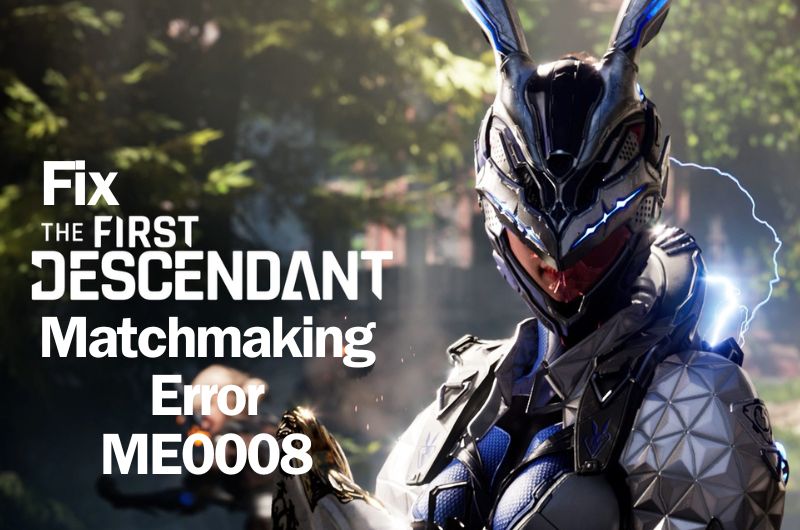
    If you love to play third-person co-op action RPG shooter games, then The First Descendant is finally here. Now you can enjoy the challenging boss fights on various gaming platforms including PS4, PS5, Xbox Series X|S, and PC. However, many players are running into a “Matchmaking error ME0008” and are having difficulty progressing in the game. Some other errors in the game include the DirectX 12 error and the shader crash. If you are running into a matchmaking error, here we will show you all potential methods to resolve it.

    How to Fix The First Descendant Matchmaking Error ME0008

    We have seen a lot of reports where players are complaining that whether they try to enter the game privately or publicly, they see a matchmaking error ME0008 in The First Descendant. But don’t fret and go through all possible solutions in this guide so that this error won’t hinder your progress.

    Close Other Apps and Programs

    Before anything else, make sure no other apps and programs are running in the background when playing The First Descendant. Additionally, refrain from using any third-party programs. Once done, relaunch the game and check if you are still running into the same error.

    Switch Your Internet Connection

    Another workaround you can try is to switch from a WiFi connection to data or vice versa and check which connection works better. In case you are connecting to the data, check your signals which must be strong enough to play massive online games like The First Descendant.

    Clear Download Cache

    This is one of the classic solutions to fix this error.

    – Launch Steam

    – Click on the Steam Icon >> Settings

    – Go to Downloads tab (On the left)

    – Then, click on “Clear Cache” (On the right)

    Tweak Launch Options Settings

    If the above method doesn’t work, try tweaking in Launch Options settings.

    – Go to the Steam Library.

    – Click on the game The First Descendant.

    – Then, click on the Settings icon >> Properties >> Installed Files and go to Launch Options.

    – Now, change –dx11 (If it is –dx12) or vice versa.

    That’s all you can try fixing “Matchmaking error ME0008” in The First Descendant. Do not miss to let us know in the comments below which particular method has worked for you.

    Share. Facebook Twitter Pinterest LinkedIn Tumblr Email
    Harry S
    • Website
    • X (Twitter)

    Harry Smith has played video games since the early 2000s, starting with the original CoD and Doom 3. He has spent countless hours playing games of varying genres. His deep understanding of modern game mechanics puts him in the prime position to understand the gaming industry and write intuitive guides.Before founding Patch Crazy, Harry S freelanced for 10 years, working for several gaming publications.

    Related Posts

    How To Save Josee in Code Vein 2 

    February 2, 2026

    Should You Save Noah in Code Vein 2

    February 2, 2026

    Bloodedge Demon Location in Nioh 3

    February 2, 2026

    Cairn – 15 Best Tips & Tricks for Beginners

    February 2, 2026
    Add A Comment
    Leave A Reply Cancel Reply

    Editors Picks
    Guides

    How To Save Josee in Code Vein 2 

    By Nandita
    Guides

    Should You Save Noah in Code Vein 2

    By Nandita
    Guides

    Bloodedge Demon Location in Nioh 3

    By Ambreen
    Guides

    Cairn – 15 Best Tips & Tricks for Beginners

    By Ambreen
    Guides

    How To Save Lyle in Code Vein 2

    By Nandita
    Patch Crazy
    Facebook X (Twitter) Instagram Pinterest Vimeo YouTube
    • Home
    © 2026 PatchCrazy.

    Type above and press Enter to search. Press Esc to cancel.