
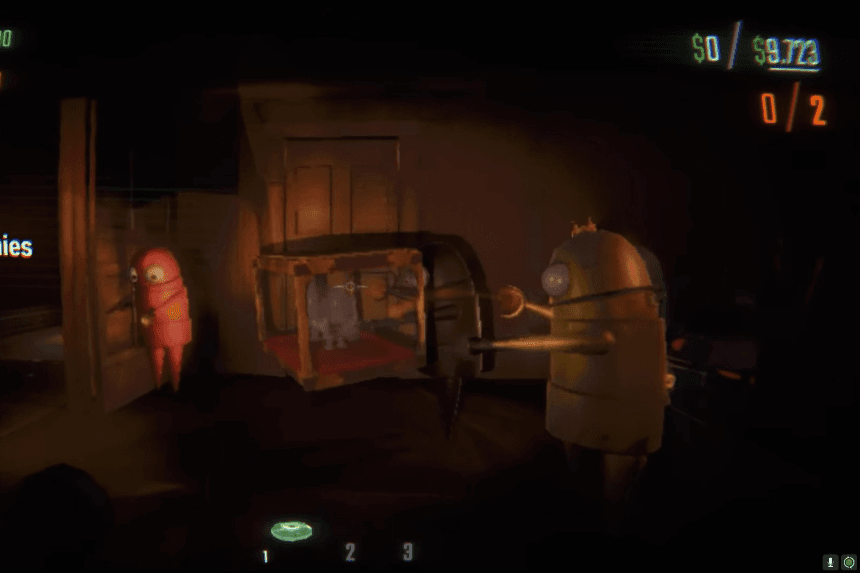
R.E.P.O. is a co-op horror game where teamwork is key to survival. Supporting up to six players in a single session, you and your friends must retrieve valuable items while navigating dangerous environments. This guide explains R.E.P.O.’s multiplayer mode, how to team up with friends, and tips for maximizing your success in this intense co-op experience.
How to Play REPO: Solo, Duo, or in a Team
You can play REPO with a team of up to six players, including yourself and five others. However, you don’t need a full team to start a match. While you can play REPO solo, it will be much more challenging to survive. To play alone, simply open the game, select ‘singleplayer’ from the main menu, and you’ll skip the multiplayer lobby to begin a solo game. For a more balanced challenge, consider playing as a duo or trio. Regardless of team size, understanding how REPO’s revive system works is crucial.
Note: The six players team gives REPO an advantage over Lethal Company’s four-player squads, allowing for even more chaos and excitement.
Currently, REPO does not support matchmaking, so you can’t join a random player’s game, and they can’t join yours. You can only play with Steam friends through direct invites. Since REPO is still in early access, online matchmaking may be added in the future. For now, you’ll need to rely on Steam friends or the single-player option, which makes it more difficult to reach the six-player team limit.
How Multiplayer Mode Works in REPO
You can host a game in REPO and invite your friends to join, but it’s best for the player with the most powerful PC and the strongest internet connection to act as the host. If you’re the best fit for hosting, follow these steps to set up a game:
- Open the main menu and select ‘Host Game.’
- When prompted, select ‘Yes.’
- Choose ‘New Game’ to start fresh, or select a saved game from a previous session.
- Confirm your choice by selecting ‘Yes’ again when prompted.
- Click the ‘Invite’ button to open Steam’s ‘Friends’ menu overlay.
- In the overlay, right-click on the friends you want to invite.
- In the pop-up menu, select ‘Invite to Game’ under the R.E.P.O. game listing.
- (Optional) While in the lobby, you and your friends can select ‘Change Color’ to customize your character’s appearance for easier identification.
- Once everyone is ready, select ‘Start Game’ to begin.
If you’re not the host, joining a friend’s game is simple:
- Open REPO and select ‘Join Game’ from the main menu. This will open Steam’s ‘Friends’ menu.
- Select the friend who’s hosting and choose ‘Join Game.’
- Alternatively, the host can send you an invite by following the steps above, which you can accept through Steam.
