

Sulphur is a rare but essential material in Subnautica 2 – used in Repair Tools, Strong Acid and advanced components. Knowing where to reliably find it saves time and unlocks key progression tools. This guide shows how to set up a scanner station and use it to find sulphur deposits.
Building Scanner Station
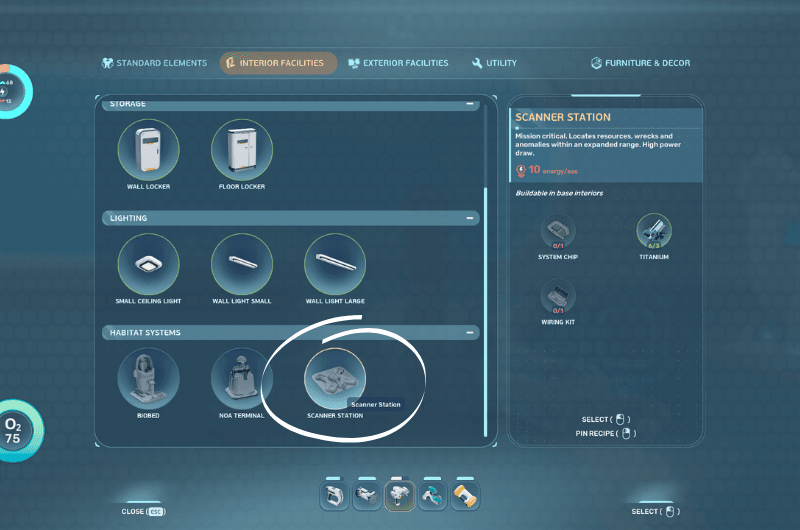

I recommend building a Scanner Station after you’ve built your base, because it helps you find resources in a 300M range which is a useful tool to find stuff faster.
Scanning for Sulphur
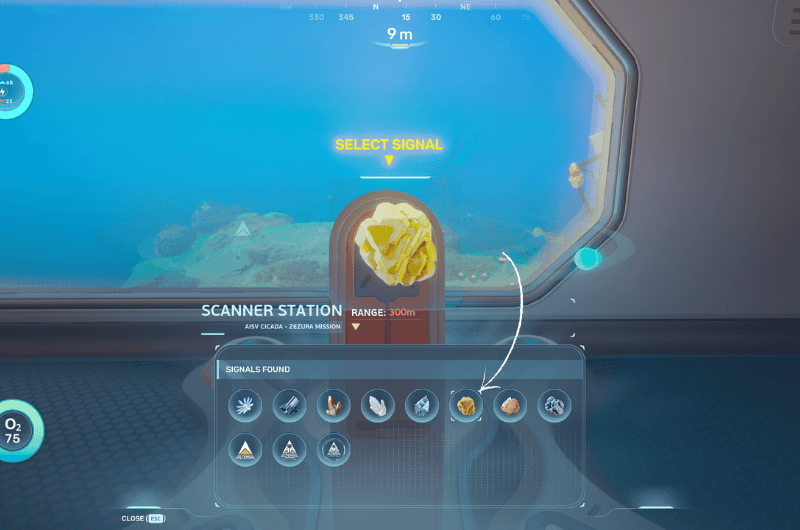
Open the scanner terminal and you’ll be shown the resources list that is available in a 300m range. Select sulphur from the list and it will show locations of where it is located on the holo map.
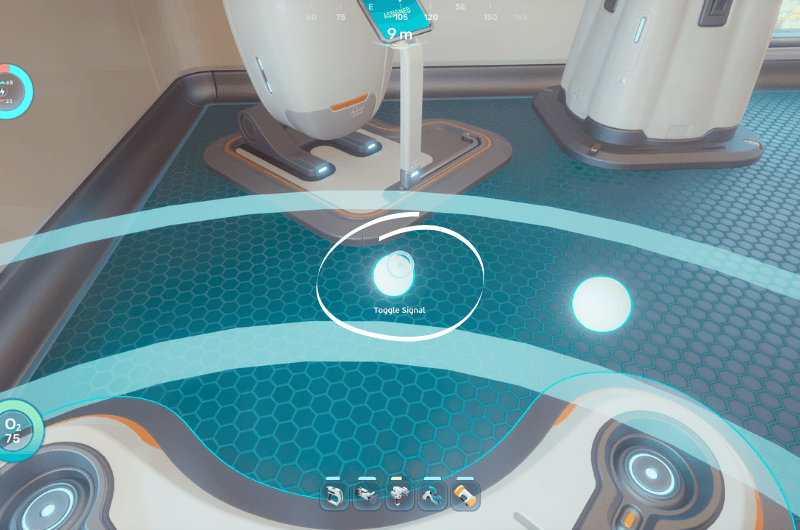
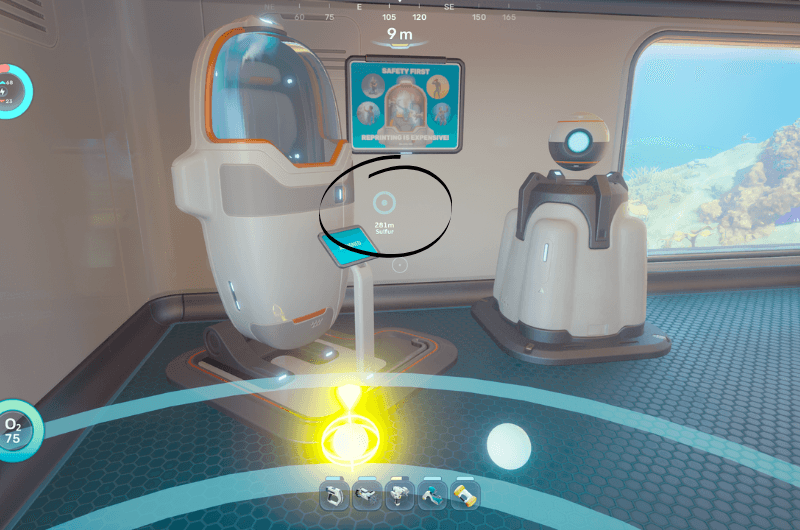
Click on any one of the pointers on the holo map and you’ll be presented with a marker on the screen. Head to the marked location and you’ll reach the sulphur deposits.
Note : You can use the Scanner Station to pinpoint the location of any resources that are available in a 300m range, saving both time and resources for your expeditions to find them.
Follow us for our upcoming guides on Subnautica 2. Let’s explore the deep seas together and survive.
