

Highlight of Everything We Know About How to download the agriculture report in the North Relay
- You can find the objective inside the large green building with nuclear written on it in the North Relay.
- The terminal doesn’t have any power, and you need to first search for a power source to power the terminal.
- Once the power is restored, return to the terminal and interact with it to complete the download.
To complete the agriculture report in the North Relay Marathon, you need to download it from the terminal. The terminal will not have any power, and you need to find the power source to start it. As there will be a lot of players, be careful as they can try to kill you. In this guide, we will tell you how to download the agriculture report in the North Relay Marathon.
How to download the agriculture report in the North Relay
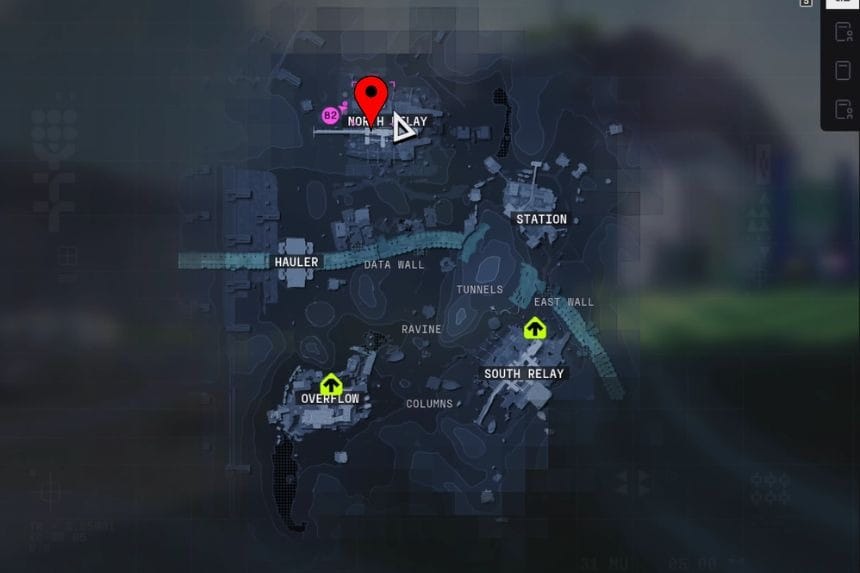
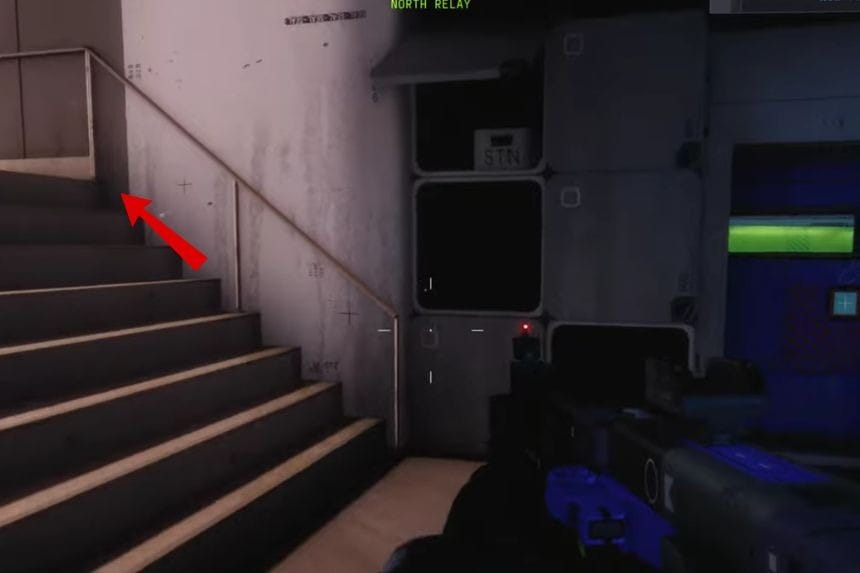
After you reach the North Relay, start your journey near the green pillar. From there, go towards the large green building with nuclear written on it. Inside, you will find the terminal where you need to interact to turn on the power. To restore the power to the terminal from inside the building, go through the door on the left. Then follow the path and drop down to find a blue door.
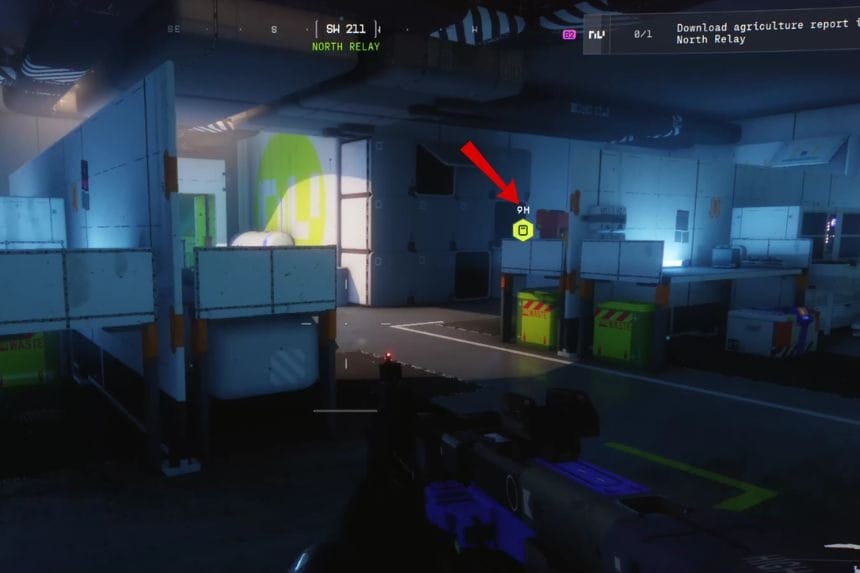
Open the door and go to the right side of this area. Here, you will find a switch that powers the terminal up there. Click that switch on to power the terminal. Now return to the terminal and interact with it to download the agriculture report and complete the task.
FAQs
Q. Why does the terminal say no power?
A. The terminal runs on a separate power source that is turned off. You need to manually activate a nearby switch to restore its power.
Q. Do you need a key to find the power room?
A. No, a key is not required to enter the power room, and you need to follow the correct path inside the building to reach the switch.
Q. Is the area dangerous while turning on the power?
A. Yes, it can be risky as other players can try to attack you.
