
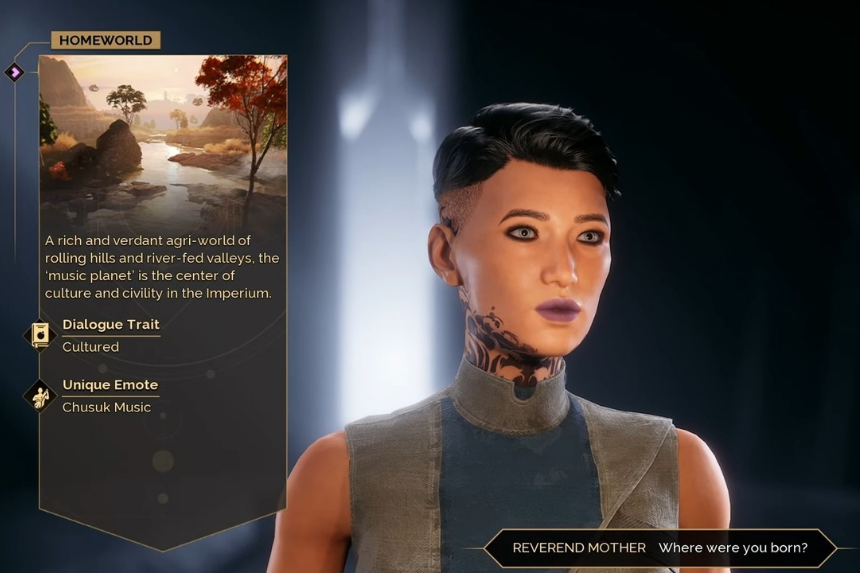
In Dune Awakening, emoting adds a fun layer to the experience, allowing you to express your character’s emotions and interact in roleplay. From showcasing some very rare and special Homeworld emotes to setting up your Emote Wheel, this guide will help you in mastering emoting and making your journey across Arrakis much more immersive.
How to Emote in the Game
Despite being defaultly considered easy, emotes actually come with a few steps that might not be too quick. Here’s how to pull it off:
1. Bring Up Your Loadout Wheel:
Hold down the middle mouse button (or press Tab) to bring up your Loadout Wheel.
Keep holding the middle mouse button and right-click to switch over to your Emote Wheel.
2. Choose Your Emote:
Either press the button for the emote you want to perform or drag your mouse in the direction of the emote and then let go of the middle mouse button.
Unique Emotes Based on Your Homeworld:
Your Homeworld determines some cool emotes exclusive to your character. Here’s what you get with each one:
- Katain: Katain Bow
- Caladan: Atreides Salute
- Chusuk: Chusuk Music
- Giedi Prime: Harkonnen Curse
- Ix: Ixian Secret
Choosing your Homeworld doesn’t change gameplay much, but if you’re into roleplay, it adds flavor. People from the same Homeworld will share the same emote, but other players from different worlds will have their own special ones.
Customizing Your Emote Wheel:
Want to switch things up? You can change your Emote Wheel at any time:
- Go to your inventory.
- Use ‘A’ or ‘D’ to scroll over to the Loadout Wheel.
- Select the Emotes option at the bottom of the screen. On the left, you’ll see all the emotes you’ve unlocked.
- Drag and drop them into the slot you want to replace on the Emote Wheel.
This way, you can tailor your emotes to fit your mood or situation!
