
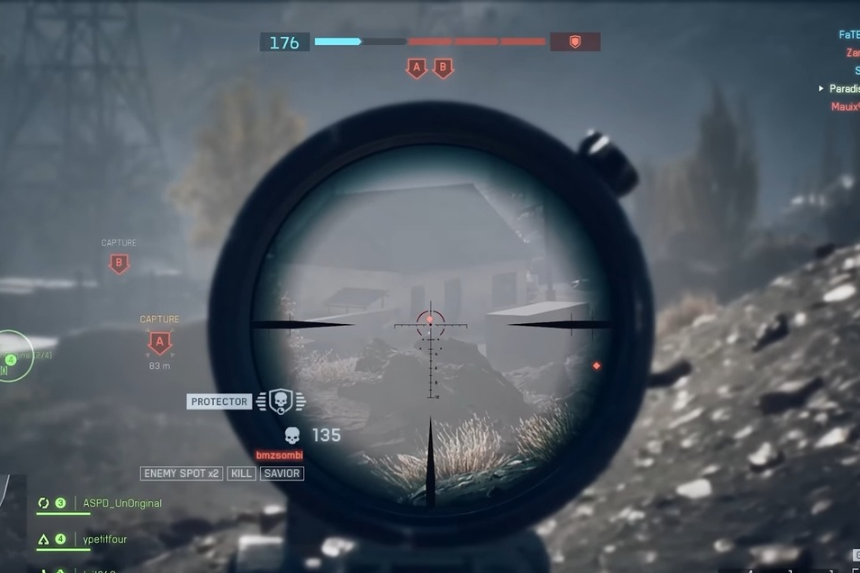
Sniping in Battlefield 6 requires precision, patience, and equipment. The Rangefinder is an essential tool for Recon players wanting to outmaneuver the enemy at long range. The careful aiming of your rifle to match the range of your target is the most important step in removing the guesswork of bullet drop, allowing for clean shots and consistent pressure on enemies all across the Battlefield.
How the BF6 Rangefinder Works
In Battlefield 6, it all comes down to sniping and control. A skillful Recon can carefully pin enemies from distances that keep them second-guessing any step into the open. In making increased long-range performance, a Rangefinder stands as one of the best tools that make certain your bullets hit exactly where intended.
The Rangefinder functions to match your sniper rifle’s aiming point with the exact distance of the target you sighted upon. When you spawn with a sniper, the weapon is zeroed at 100 meters. At this distance, bullets move more or less straight and therefore hit wherever the crosshair is aiming. At farther ranges, however, gravity begins to pull the bullet down, so your crosshair stops matching where the bullets actually land.
How to Use the Rangefinder
If you’re using a PC, you can hold the B key (or; if on console, you can press Down on your D-pad), and then you’ll automatically adjust your rifle’s zeroing to whatever the distance of the target is. This means you can aim directly at enemies again at about any distance, without having to raise your sights up to account for any sort of bullet drop.
If you’re switching targets with different ranges, just make sure you adjust it again, either by determining the zero range manually, to the new target, or using the Rangefinder again, before firing. If maintained in frequency, this tool can make shooting long distance targets a lot easier and also helps maintain your aiming with the two distances maximizing the headache for your enemy.

