
In Marathon, knowing where other players are can give a big advantage during a run. One of the tools that helps with these is the Target Acquisition Device. This device sends out a scan that reveals nearby players for a short time, making it easier to track movements and plan your next move. In this guide, we will tell you how to activate a target acquisition device in the Marathon.
How to Activate a Target Acquisition Device
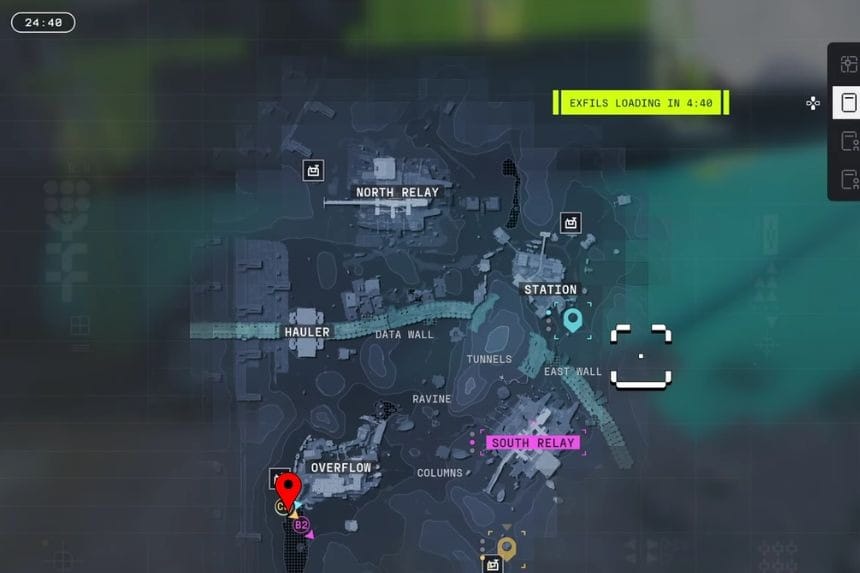
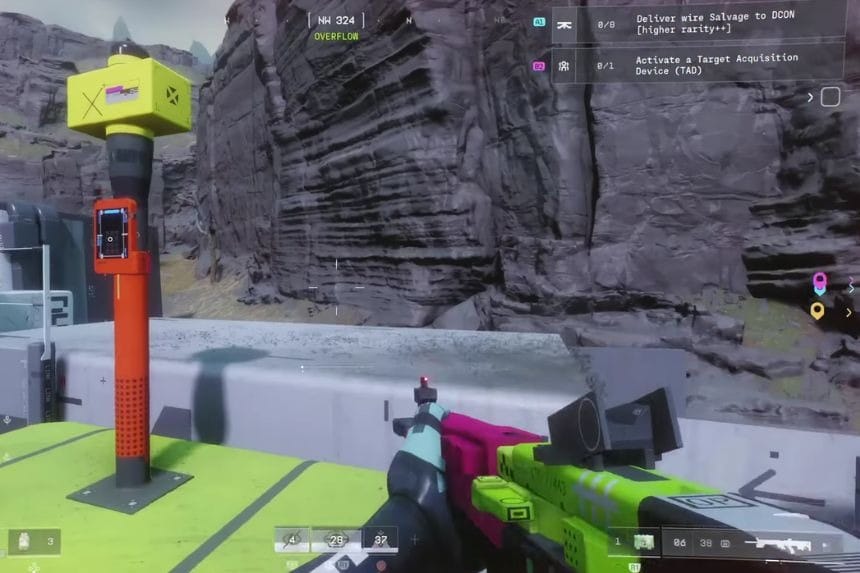
A Target Acquisition Device is a machine that helps you to detect nearby players. Once you activate it, the device sends out a ping that scans the surrounding areas. This scan reveals the players within its range for a short period of time.
The easiest way to find a Target Acquisition Device is by checking the rooftops of the buildings. Most of these devices spawn on the top of the building. When you find a Target Acquisition Device, interact with it and activate it to find the players within the range for a short time. It makes it easier to track movement and prepare for fights with enemies.
How to Use the Target Acquisition Device
To activate a Target Acquisition Device, you need to visit any named location on the map. These devices can appear in many places across the map. Each area usually has two to three spawn spots where you can find the device.
You can improve the Target Acquisition Device through contact upgrades. These upgrades will increase the scan radius on the device, extend the duration of the scan, and use other upgrades to make the scan stronger. When you use the correct upgrades, the device can tell the locations of other players in a large area for a longer time.
