
Close Menu

    Subscribe to Updates

    Get the latest creative news from FooBar about art, design and business.

    What's Hot

    Melt Knight Location in Of Ash and Steel

    January 25, 2026

    Chad’s Order Attire Quest: Of Ash and Steel 

    January 25, 2026

    Distribute the Handouts Quest in Of Ash and Steel

    January 25, 2026
    Facebook X (Twitter) Instagram
    Patch Crazy
    • Guides
    • Server Status
    • Patch Notes
    • Featured
    Facebook X (Twitter) Instagram
    Patch Crazy
    Home»Guides»How to Change Product Name or Rename Strains in Schedule 1
    How to Change Product Name or Rename Strains in Schedule 1
    Guides

    How to Change Product Name or Rename Strains in Schedule 1

    By NanditaApril 9, 2025No Comments2 Mins Read
    Share
    Facebook Twitter LinkedIn Pinterest Email

    If you’ve been playing Schedule 1 and found yourself wishing to rename a mixed product or rename a finished product after it’s already been made, you’re not alone. The game doesn’t have an in-game solution for renaming mixed products at the moment. After you’ve named your bespoke strain, it’s stuck there forever, unless you feel like exploring the game’s save files and doing it manually. While this approach may be possible, it is risky and should only be tried with care. Messing around with game files is not something that is suggested.

    How to Change Product Name or Rename Strains

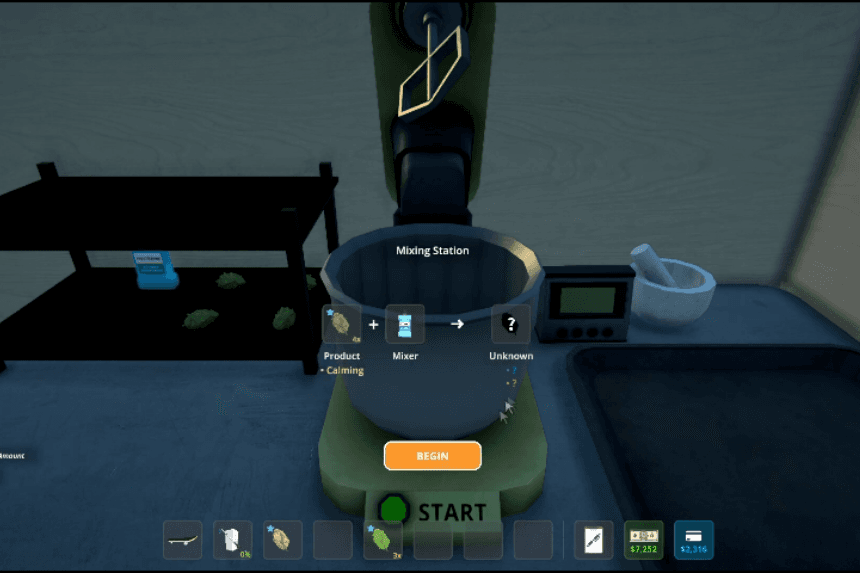
    As it stands, the game only lets you name a mixed product when you create it. Once you’ve decided on a name for your own created strain, that name is fixed in the game, with no in-game feature to later alter it. This can be somewhat restrictive if you subsequently think of a better name or wish to reclassify your list of products. 

    The only way to rename a mixed product after it’s been created is by manually editing your game’s save files. These names are stored in JSON files located deep within your save folder. You can use a text editor like Notepad++ or VSCode to make the changes, but you must be very careful. Only modify the “Name” field, changing the ID or filename can corrupt your save.

    Uncle Nelson Stash Locations in Schedule 1

    Before diving into this, it’s crucial to back up your save file. The file path usually looks like this:
    C:/Users/[YourName]/AppData/LocalLow/TVGS/Schedule I/Saves/[YourSteamID]/SaveGame_x/Products/CreatedProducts.

    Tips

    • Always create a full backup of your save files before making any changes. If something goes wrong, this is your safety net to restore your progress without starting over.
    • Open the relevant JSON file using a trusted editor like Notepad++ or VSCode. These programs maintain formatting and reduce the risk of accidentally damaging the file structure.
    • When renaming your product, change only the value next to “Name”. Do not touch the product’s ID, filename, or other fields, doing so can break your save or make the product unrecognizable in-game.
    • Renaming often might be tempting, but repeated file edits increase the chances of a mistake. Only change names when absolutely necessary.
    Share. Facebook Twitter Pinterest LinkedIn Tumblr Email
    Nandita
    • X (Twitter)
    • LinkedIn

    Damsel in her own distress, abodes in her imaginary world, and enchanted by the magical realms of Elden Ring. A professional overthinker who loves to weave captivating stories, and is fascinated by the art of doing nothing. When not lost in thought, paints canvases that echo her wildest daydreams!

    Related Posts

    Melt Knight Location in Of Ash and Steel

    January 25, 2026

    Chad’s Order Attire Quest: Of Ash and Steel 

    January 25, 2026

    Distribute the Handouts Quest in Of Ash and Steel

    January 25, 2026

    Special Invitation Quest Guide in Of Ash and Steel

    January 25, 2026
    Add A Comment
    Leave A Reply Cancel Reply

    Latest Posts

    Melt Knight Location in Of Ash and Steel

    January 25, 2026

    Chad’s Order Attire Quest: Of Ash and Steel 

    January 25, 2026

    Distribute the Handouts Quest in Of Ash and Steel

    January 25, 2026

    Special Invitation Quest Guide in Of Ash and Steel

    January 25, 2026
    Top Reviews
    70
    Reviews

    Review: Dunecrawl, Is It Worth It

    By Sankar
    Patch Crazy
    Facebook X (Twitter) Instagram Pinterest Vimeo YouTube
    • Home
    © 2026 PatchCrazy.

    Type above and press Enter to search. Press Esc to cancel.