
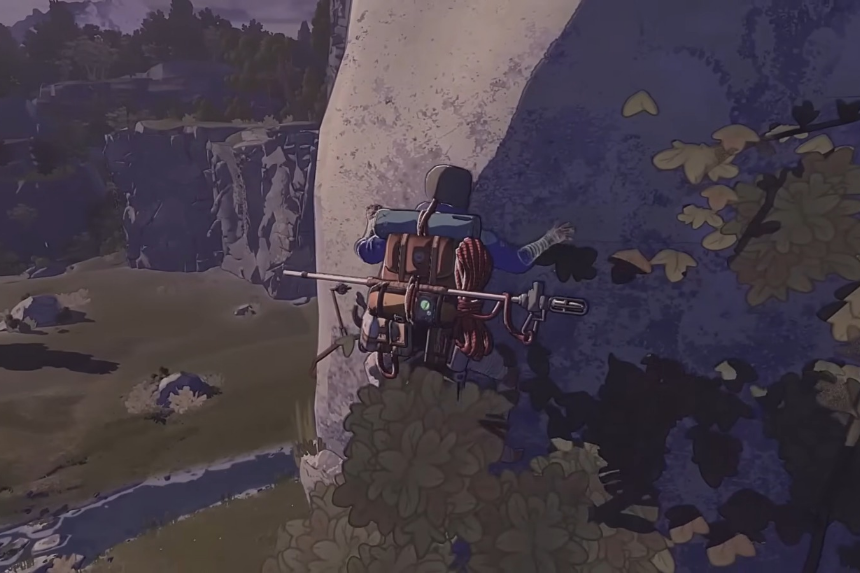
Cairn can be unforgiving for first-time climbers, where every grip, resource, and decision matters. This beginner’s guide breaks down essential tips and tricks to help you manage stamina, plan routes, survive harsh conditions, and climb more efficiently as you learn the game’s core mechanics without unnecessary frustration or wasted attempts.
The Best Tips & Tricks
Here’s a list of the fifteen best beginner friendly tips and tricks in Cairn:
Gym Loot
Remember to loot the gym before leaving. There’s a high chance of you finding pocket change, bottles, and self-screwing pitons. Try areas that are toward the back for better luck. All of these items will be extremely useful in your journey.
The Holds Feedback Setting
Using the Holds Feedback setting to determine the best placement for Aava’s hands and feet. Go to settings and choose “Holds feedback” under Gameplay. This setting helps display visual feedback every time you grab a good hold, meaning you’ll see a square popping up every time your hands or feet are on the wall.
Search for Water
In Cairn, water is an essential resource so it’s good to always be on the lookout. Apart from ponds and streams, you can also get water from cracks present in certain rocks.
Search for Food
While moving around, remember to forage for food items like dandelions and raspberries in open areas or honey dippers inside caves.
Compost
If your backpack is full and you want to create some extra space in it, you can consider composting the items to get chalk, which is very useful for sweaty hands, and provides extra grip when climbing.
Easily Refill Bottles
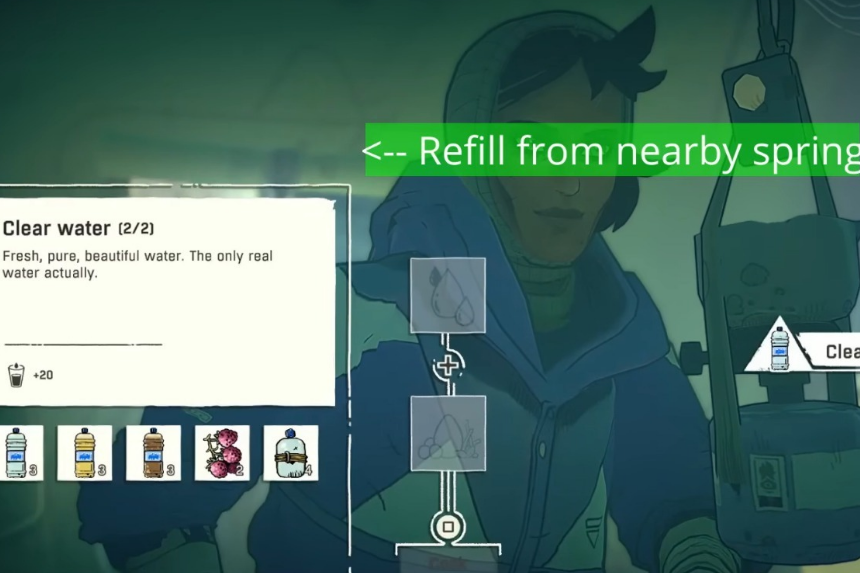
Most of the time, it’s easy to fill up water bottles without leaving the tent if you’re near a stream. What you’ll need to do is select the empty bottle and check if a prompt appears on top of the screen saying “Refill from nearby spring.” Do remember that you will only be able to refill water from your tent.
Cooking
A fun fact is that you can do a lot of experiments when it comes to cooking in the game. If you combine two food items to unlock a certain recipe, you can then mix that recipe with another food item to create something new and interesting. A good food item you can use often is honey, as it helps boost energy.
Repairing Pitons
You have the option of creating new pitons using scraps. So, it’s fine if the piton you have isn’t perfect, you can always repair them. Two scraps will give you one self-screwing piton.
Using the Barometer
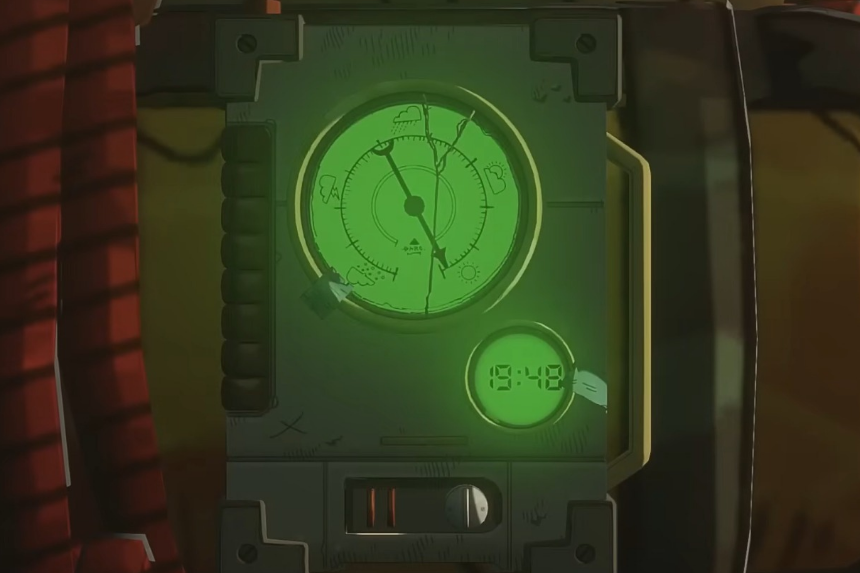
The Barometer is very useful in the game, as it helps you track the time and weather. To check, you’ll have to use the L2 and left D-pad button. Keep in mind that the weather runs fifteen seconds ahead of the fixed schedule, meaning if the needle moves from sun to rain, it’ll be sunny for fifteen seconds before the rain starts pouring down.
Climbing Tips
When climbing, it’s important that you keep a check on Aava’s energy levels and keep her hydrated. To make sure that she stays energized, you can drink water from the canteen when climbing. Additionally, you can keep other drinks in the canteen that will help her with hydration. However, if you require more than a drink, you’ll need to set a piton and go off belay in order to get something to eat from the backpack.
Review Routes Before Climbing
Reviewing routes before you start climbing is pretty helpful in the game. This option really helps when you’re unsure of how to plan your route. You can also use this option whilst climbing if you become unsure of the direction you need to go towards. You can use the L1 button on PlayStation for reviewing routes, and if you use the triangle you’ll be able to move the camera around more freely.
Review Routes After Climbing
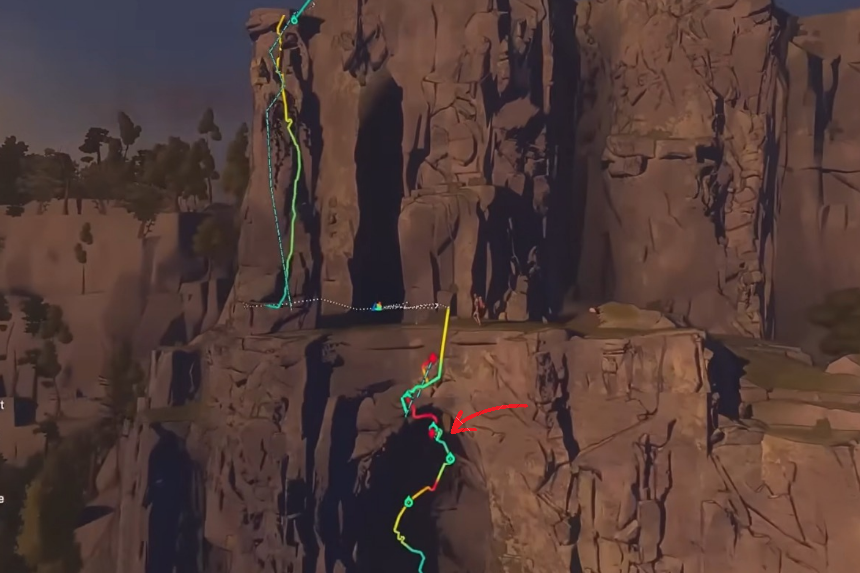
After you’ve finished a climb, you can use the L1 button to review how you did. A line will appear on the surface with different colored parts reflecting how you did. Green and yellow colors mean you did good, the red one means that particular area was difficult. The green circles on the line indicate the areas where you’ve placed the pitons.
Flashlight
The flashlight is super important for when you’ve hit a dark spot or are climbing in the dark. You can equip the flashlight easily from your quick items present in the L2 section.
Choosing Routes
When you start climbing, it’s better to choose a route which has a good number of ledges. If you use a lot of pitons, you can use climbot to get the pitons back from the ledges.
Handholds
You can use the Holds Feedback setting to determine the best handhold for Aava. Remember to keep the holds setting on, then try to use different locations to see where you get the square indicators that confirm that the hold is strong.
Here’s what we know – and don’t – about Tech’s Novel Use.
- Joe Doe tested negative for Tech Literacy.
- Shane’s diagnosis could spell disaster for his campaign.
- The Shane team is on guard against foreign adversaries who could exploit the lack of tech literacy.
