
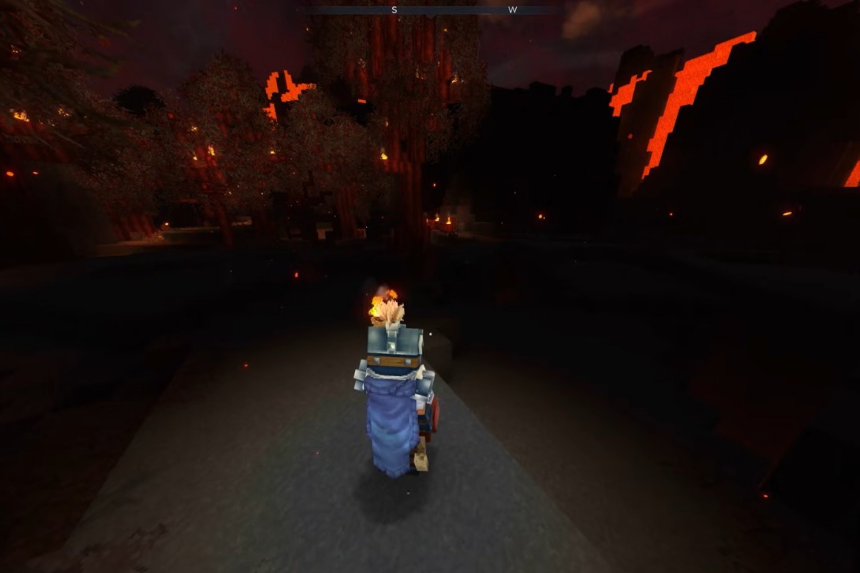
There are dozens of mods currently available for Hytale that improve skills like teleportation and mining in the dark. I’ve compiled a list of the seven best mods you could get for both single and multiplayer in the game, so read along to find out everything you need to know!
The 7 Best Mods in Hytale
Knowing which mods will help you out in the long run can be a game changer in Hytale. Here’s an easy breakdown of the seven must have mods:
Mod 1 – EyeSpy
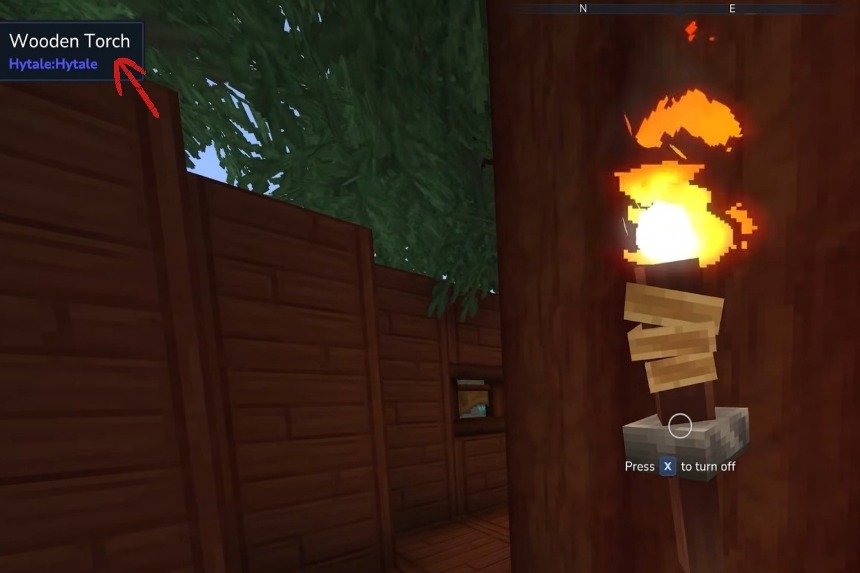
The first mod we’ll go over is EyeSpy created by DarkhaxDev. This one adds a hut that presents you with information on whatever you’re currently looking at. You’ll see the information appear in the top-left corner of the screen. This mod is effective on environmental objects, creatures, materials, and even health values. This mod is very useful but still under development, so you’ll need to be very cautious because the mod can sometimes cause crashes.
Mod 2 – Advanced Item Info
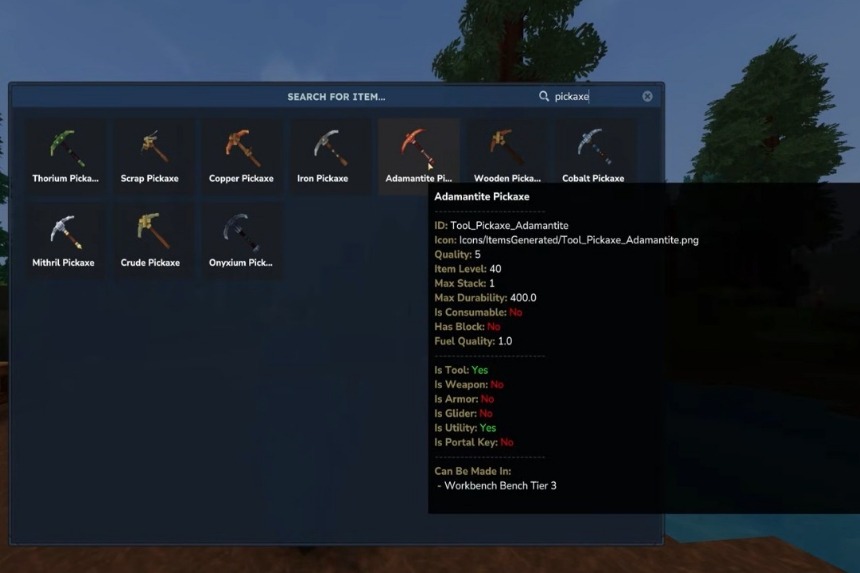
Next, we have Advanced Item Info created by Buuz135, which is a good option for players who want to understand everything in depth. This mod introduces an interface where you can search for every item that is available in Hytale, along with detailed stats.
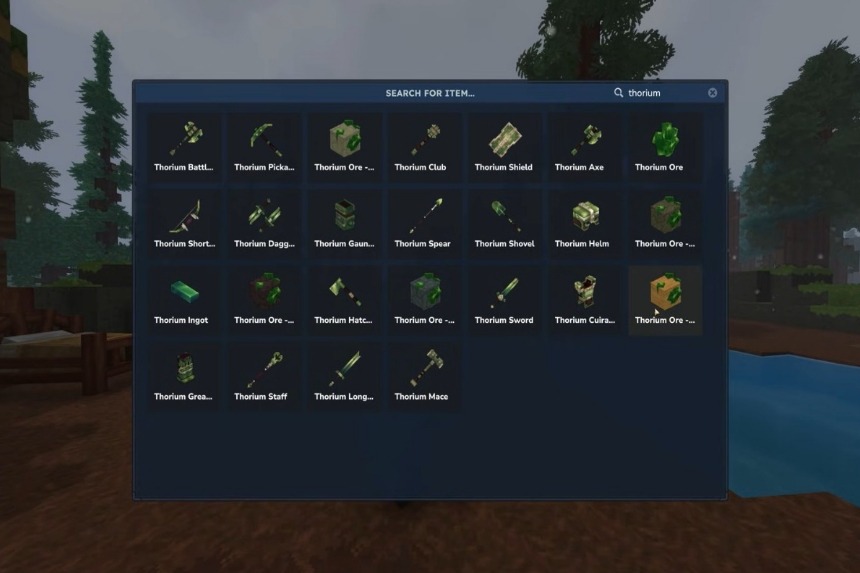
To open this menu, you’ll simply need to type “/iteminfo,” and you’ll get the entire database. For example, if you want information on Thorium, you simply have to type in the name, and you’ll get to see all the different Thorium items available.
Additionally, hovering over an item will provide you with useful data like item ID, quality, durability, stack limits, and item level, making this mod extremely helpful for planning progression and crafting.
Mod 3 – Miners Helmet
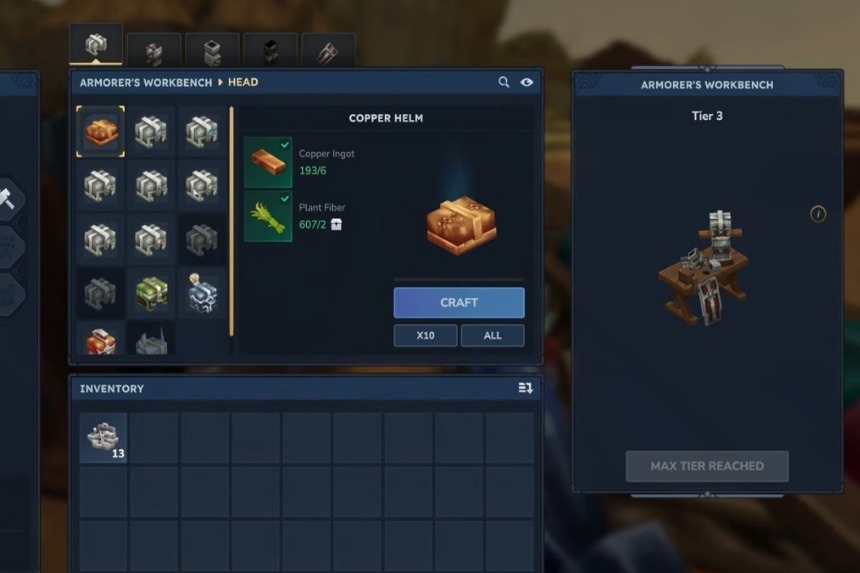
For the next one, we’ll be covering the Miners Helmet created by Jaredlll08, which is amazing for exploring the darker caves. With eight different helmets (that emit light) added to your Armorer’s Workbench, you won’t need torches during cave exploration.
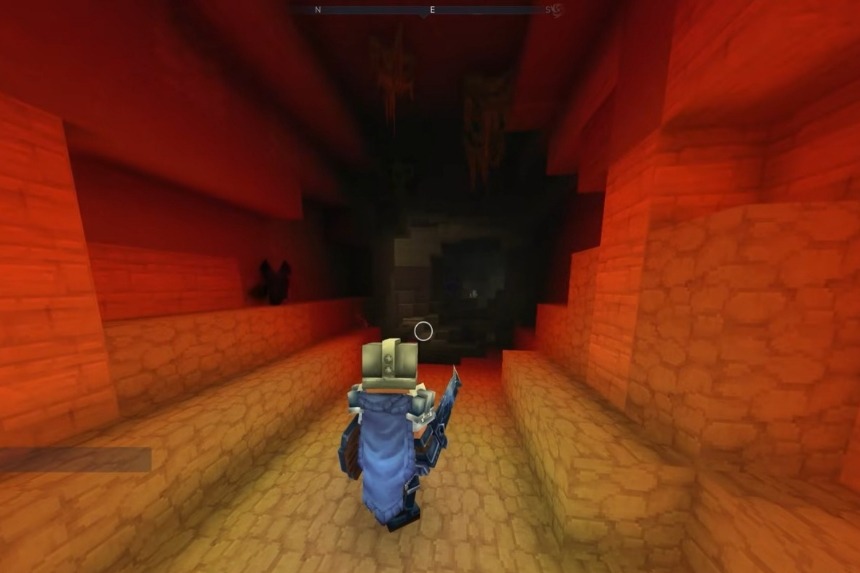
The color of the light will depend on the type of crystal you use during the crafting process. The red one provides intense illumination, the green one offers you a softer and more comfortable glow, and the blue one delivers subtle lighting ideal for long exploration sessions. This is the perfect mod for you if you frequently mine or explore underground areas.
Mod 4 – Wayback Charm
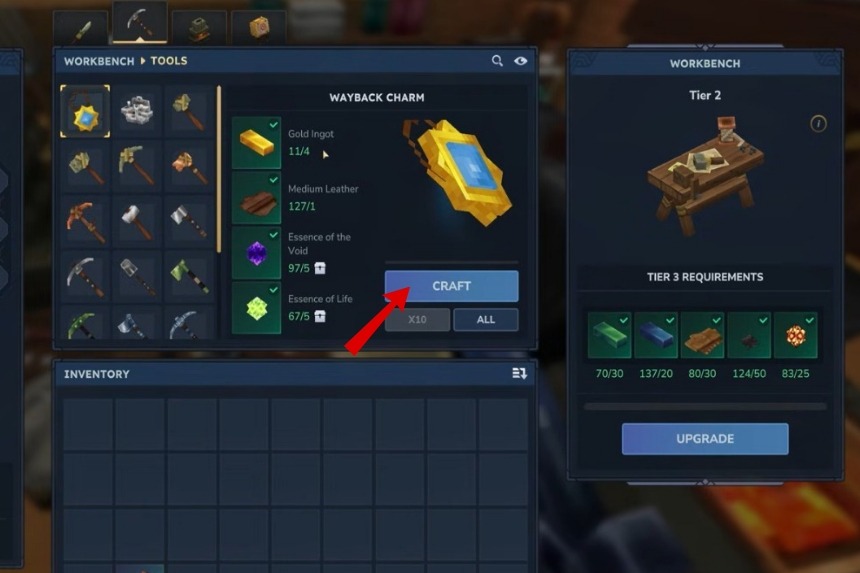
The fourth mod we’ll be discussing is the Wayback Charm created by DarkhaxDev. This mod will help you find your way back home in a much easier manner. You’ll have to craft Wayback Charm at the workbench under the secondary tools tab. To craft it, you will need 4 Gold Ingots, 1 Medium Leather, 5 Essence of the Void, and 5 Essence of Life.
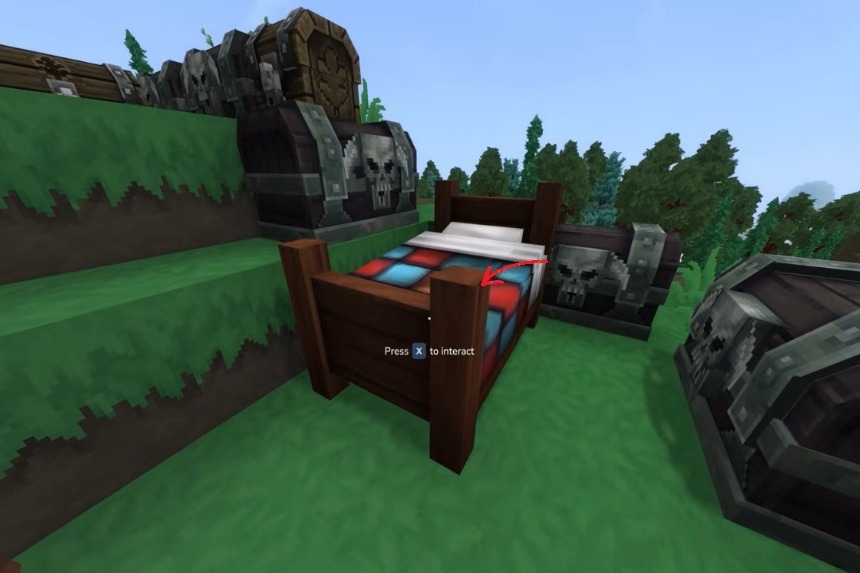
Once the mod is equipped to your hot bar, pressing interact will teleport you straight back home. To make sure that it works, set your spawn point by interacting with your bed first. Without doing so, the charm may return you to the starting location.
Mod 5 – Simply Trash
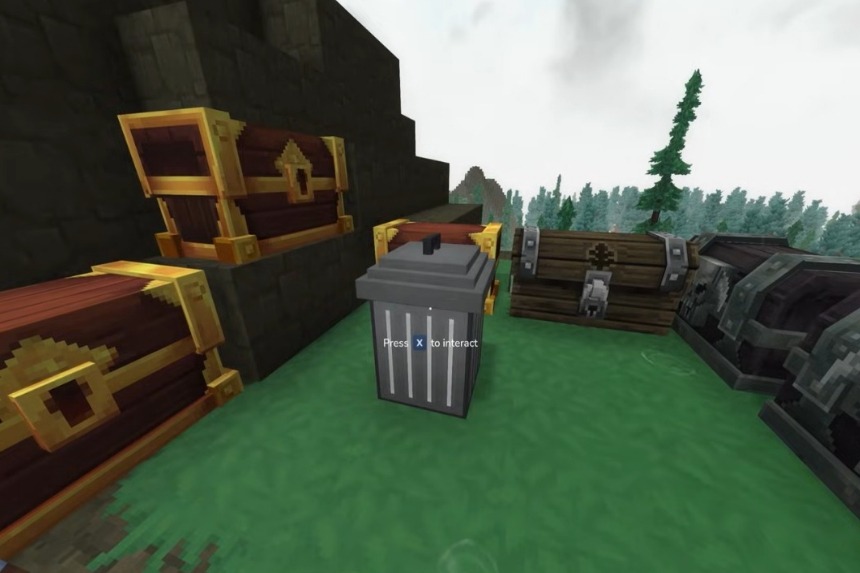
The Simply Trash mod created by Jaredlll08 is the fifth we will discuss and is, in my opinion, an extremely useful mod to have in your inventory. Inevitably, you will eventually have many items in your inventory that will get all cluttered. This can become very frustrating for players; therefore, using this mod will allow you to have a permanent way of deleting unwanted items by throwing them into a trash can at your base location.
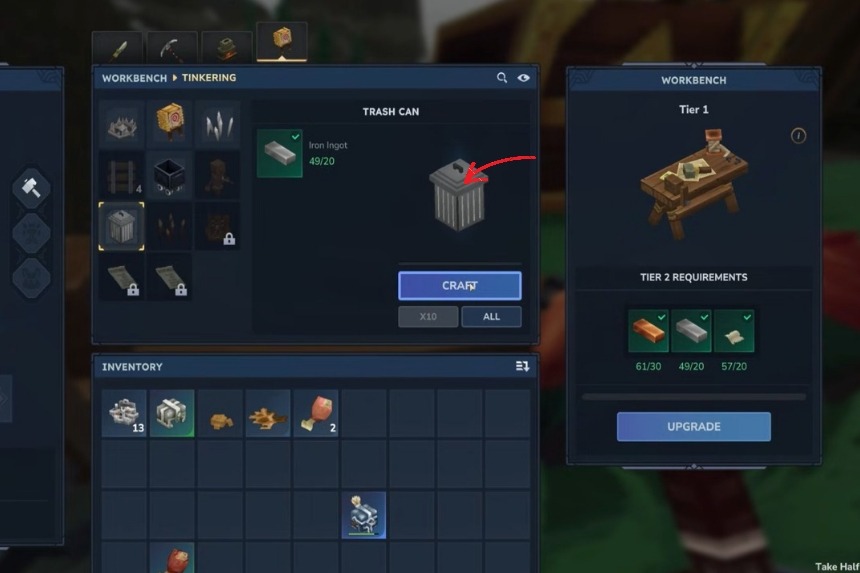
You can create this mod at your workbench using 20 iron ingots. The addition of a trash can will help you with your inventory management, but please note that once you close the menu, you cannot get back any items that you delete.
Mod 6 – AdminUI
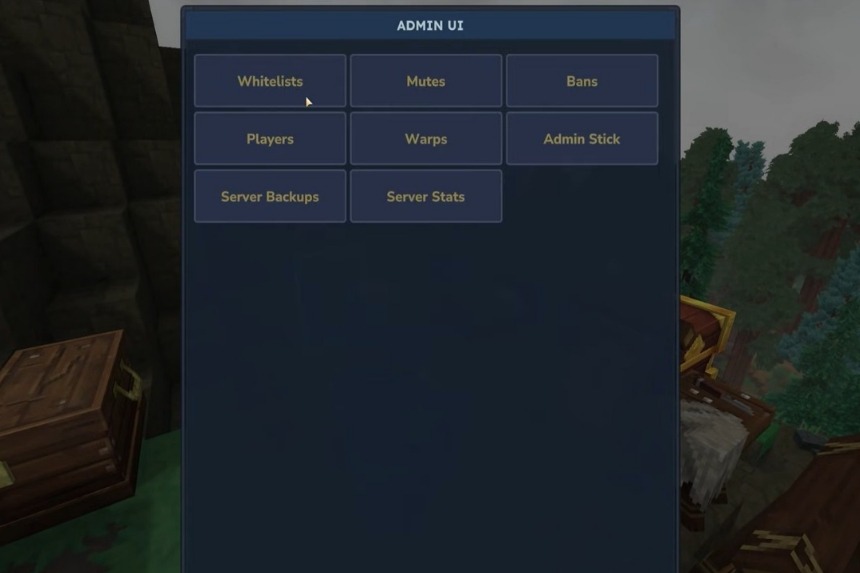
The next mod is AdminUI created by Buuz135, which is extremely useful for server owners and hosts. What you’ll need to do is type “/admin” to open an interface that displays server stats, player information, and performance data.
This mod will allow you to mute, ban, or whitelist players. The mod also includes interesting event tools such as teleporting the players, kicking everyone, or performing mass actions. The most important thing, though, is that AdminUI allows you quick and easy server backups, which is great in the long run.
Mod 7 – Simple Claims
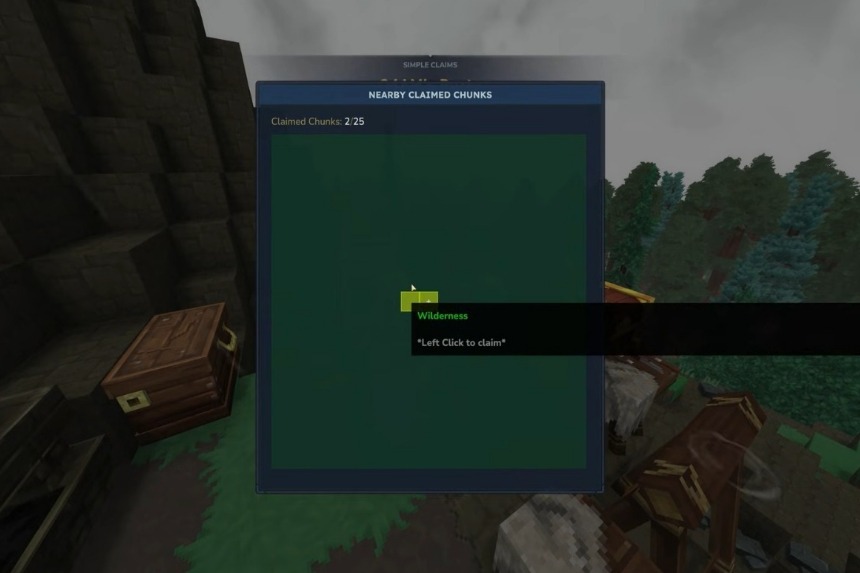
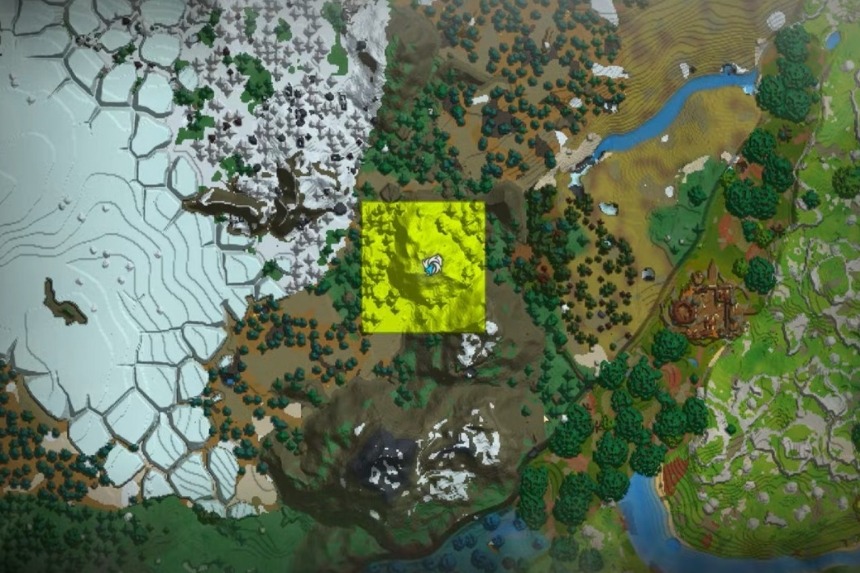
The final mod is Simple Claims also created by Buuz135, which is amazing for the players who want to protect their base in multiplayer. What you’ll need to do is type “/sc” to open the Simple Claims menu and claim the land using left-click. The claimed areas will be highlighted on the map in yellow, showing protected territory.
If you want to remove claims, then you simply have to open the menu again by typing “/sc” and using right-click. The mod also allows you to share land through typing “/scp” for a simple claim party where you can create parties, control permissions, and claim colors.
You can also customize whether other players can place blocks, break blocks, interact with blocks, or engage in PvP. In case you want to invite someone, you’ll simply need to type “scp invite [name], ” and you can also remove claims by typing in “scp leave.”
